To protect your astrophotography data, adopt a layered backup approach. Use RAID configurations locally to guarantee quick recovery from hardware failures, and regularly sync your recent work to cloud storage for off-site safety. Cloud backups provide convenient access and redundancy, but consider upload speeds and costs. Combining these strategies minimizes risks from disasters or hardware issues. Keep your data safe and secure by implementing these proven methods—more details await to guide your setup.

Prime made for students and young adults
- Fast, free delivery for dorm and study essentials
- Prime Video and Amazon Music included
- Member-only deals
Key Takeaways
- Implement a layered backup system combining local RAID storage for fast access and cloud storage for off-site redundancy.
- Regularly synchronize recent astrophotography data to cloud services to ensure remote safety and disaster recovery.
- Use RAID configurations like RAID 1 or RAID 5 to provide immediate data redundancy and minimize downtime from hardware failures.
- Automate backups to reduce human error and ensure consistent data protection across both local and cloud storage.
- Prioritize backing up irreplaceable images and scientific data to preserve valuable observations and memories.
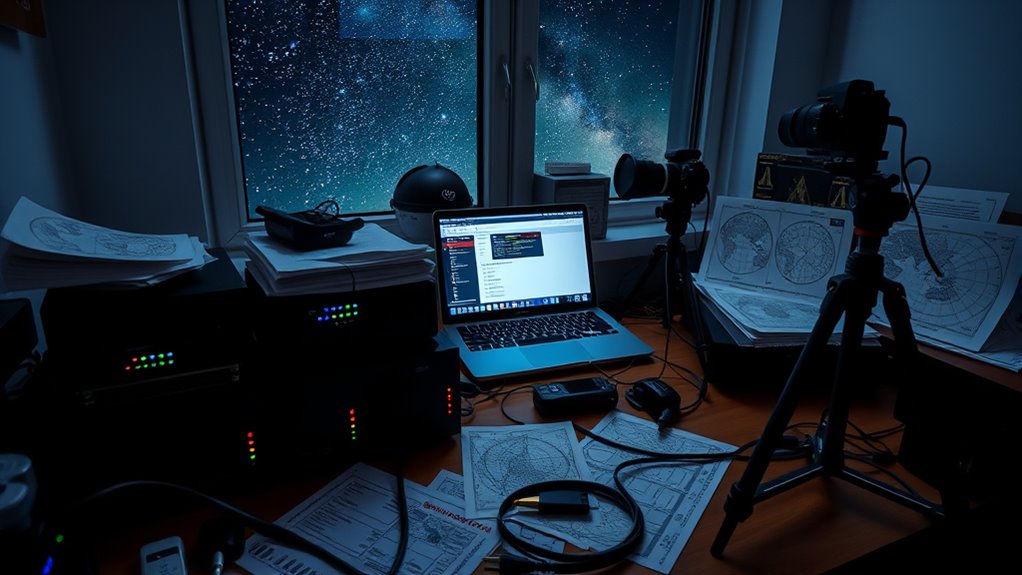
Astrophotography produces valuable and often irreplaceable data, making a solid backup strategy essential. When you capture stunning images of distant galaxies or intricate nebulae, you’re not just saving beautiful visuals—you’re preserving scientific data, detailed observations, and personal memories. To protect this wealth of information, you need to implement reliable backup methods. Cloud storage offers a convenient solution, allowing you to upload your images to secure servers accessible from anywhere. With cloud services, you can automate backups, ensuring that your data is consistently protected without manual intervention. Plus, cloud providers typically maintain multiple redundancies, meaning your files are stored across several servers, reducing the risk of data loss due to hardware failure or local disasters.
However, relying solely on cloud storage might not suffice, especially when dealing with large datasets common in astrophotography. That’s where RAID configurations come into play. RAID, or Redundant Array of Independent Disks, enables you to combine multiple drives into a single, fault-tolerant storage system. For example, RAID 1 mirrors your data across two disks, so if one fails, the other retains a perfect copy. RAID 5 or RAID 6 configurations add even more redundancy, distributing parity information across multiple drives, which allows for continued operation even if one or two disks fail. Setting up RAID provides you with a high level of security and quick recovery options, minimizing downtime and ensuring your astrophotography data stays safe from hardware issues.
In practice, combining cloud storage with RAID configurations offers a thorough backup strategy. You can store recent or active projects on your RAID array for fast access and editing, while regularly syncing your most recent data to the cloud for off-site protection. This layered approach minimizes your risk of losing precious data due to hardware faults, theft, fire, or other unforeseen events. Keep in mind that maintaining multiple backup locations also helps meet data safety best practices, especially when dealing with large files that take time to upload or download.
Additionally, understanding the importance of data redundancy can significantly enhance your data protection plan, as multiple layers of backup ensure that even in worst-case scenarios, your valuable data remains secure. Ultimately, your goal is to create a resilient system that safeguards your astrophotography work at all times. Using cloud storage for remote, off-site backups and RAID configurations for local, high-speed redundancy provides a balanced, robust solution. By implementing these strategies, you ensure that your valuable images and scientific data remain protected, accessible, and secure, no matter what challenges come your way.
RAID 1 hard drive for data redundancy
As an affiliate, we earn on qualifying purchases.
As an affiliate, we earn on qualifying purchases.
Frequently Asked Questions
What Are the Best Cloud Storage Options for Astrophotography Data?
You should consider cloud storage providers like Google Drive, Dropbox, or OneDrive for your astrophotography data. They offer reliable storage options, easy access, and data encryption to keep your images safe. Look for providers that prioritize security and automatically encrypt your files during upload. This way, your valuable astrophotography data stays protected, accessible, and well-organized, giving you peace of mind while working on your celestial captures.
How Often Should I Back up My Astrophotography Images?
Imagine losing your celestial masterpieces overnight—that’s why you should back up your astrophotography images frequently. You need data redundancy to safeguard your work, ideally backing up after each session or at least weekly. Regular backup frequency ensures your images are safe from hardware failures or mishaps. Don’t wait until it’s too late; consistent backups help preserve your cosmic captures and keep your passion alive.
What Hardware Is Most Reliable for Long-Term Data Storage?
You should choose reliable hardware like NAS or enterprise-grade hard drives with high durability for long-term storage. These drives are built to withstand wear and tear, reducing the risk of data loss. Using RAID configurations, such as RAID 5 or 6, offers redundancy and fault tolerance, ensuring your astrophotography data stays safe even if one drive fails. Regularly monitor and replace aging drives to maintain data integrity over time.
How Can I Organize Large Astrophotography Datasets Effectively?
A tidy workspace is a tidy mind. To organize large astrophotography datasets, start with clear file naming conventions that include date, target, and session info. Use logical folder structures, like year/month/target, to keep everything accessible. Regularly update and back up your files. This way, you’ll find your images quickly and avoid losing precious data, ensuring your stellar captures stay well-organized and safe.
Are There Specific Software Tools for Automating Backups?
Yes, you can automate backups using tools like FreeFileSync, Duplicati, or AOMEI Backupper. These automation tools let you set up backup scheduling, ensuring your astrophotography data gets backed up regularly without manual intervention. By configuring these tools, you’ll keep your datasets safe, organized, and up-to-date, giving you peace of mind and more time to focus on capturing stunning astrophotography images.
cloud backup service for astrophotography
As an affiliate, we earn on qualifying purchases.
As an affiliate, we earn on qualifying purchases.
Conclusion
So, there you have it—your cosmic data’s best friends: backups, cloud storage, and good old redundancy. Because, let’s face it, losing your precious astrophotos to a cosmic catastrophe or a simple hard drive crash would be truly stellar. Follow these strategies, and you’ll be the guardian of your celestial treasures. After all, if the universe conspires against your data, at least you’ll have a backup—ready to shoot for the stars again.
external hard drives for astrophotography data
As an affiliate, we earn on qualifying purchases.
As an affiliate, we earn on qualifying purchases.
automated backup software for PC
As an affiliate, we earn on qualifying purchases.
As an affiliate, we earn on qualifying purchases.
Evergreen bestsellers Picks
bestsellers
As an affiliate, we earn on qualifying purchases.