To perform star masking and reduction in post-processing, you should start by creating accurate masks that target bright stars based on their brightness and shape. Use software tools or algorithms that generate masks to isolate stars from faint details. Then, apply reduction techniques like softening, blurring, or pixel editing specifically to those masked areas to diminish star brightness or halos. Combining these steps carefully helps you improve image clarity and reveal hidden celestial features, and exploring these methods further can enhance your results even more.
Key Takeaways
- Generate accurate star masks using brightness thresholds and shape recognition to isolate stars effectively.
- Apply star reduction techniques selectively within masked regions to diminish star brightness or halos.
- Use softening filters or specialized algorithms to gently diminish star prominence without affecting faint background objects.
- Combine masking and reduction to target only star areas, preserving nebulae and galaxy details.
- Consider star size and shape when designing masks to ensure precise and artifact-free star suppression.
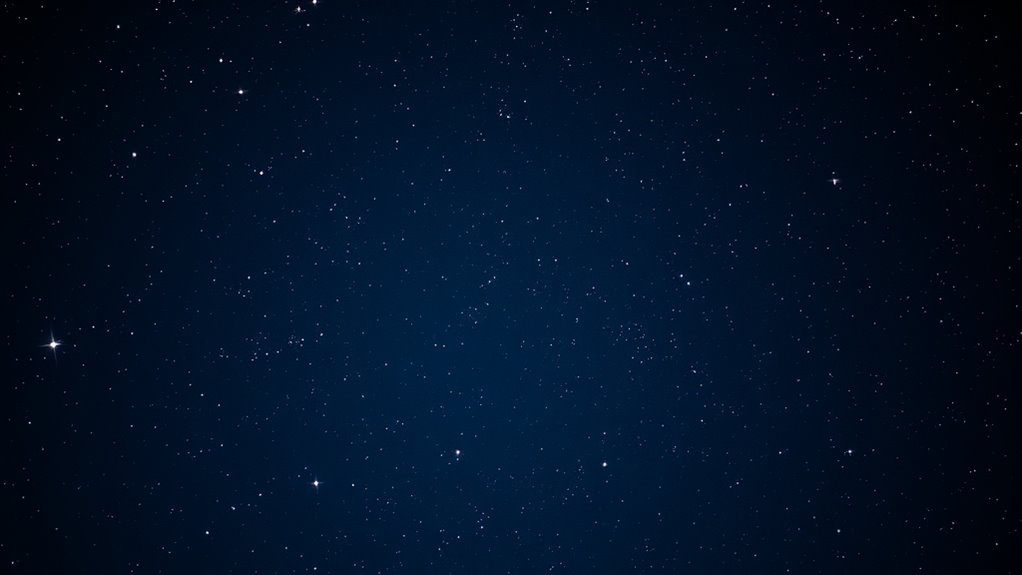
When working with astronomical images, bright stars can often dominate the scene and obscure the underlying details of celestial objects. This challenge makes it essential to use effective star masking techniques and star reduction methods during post-processing. Star masking involves creating precise masks that isolate stars from the rest of the image, allowing you to process or remove them without affecting the background or faint objects. You might start with software tools that generate automatic star masks based on brightness thresholds or shape recognition. These masks help prevent stars from interfering with background subtraction, noise reduction, or enhancement of faint features like nebulae or galaxies. Incorporating advanced masking algorithms can further improve the accuracy and efficiency of star isolation in complex images. Star reduction methods are equally important when you want to diminish the brightness or size of stars, especially if they overshadow delicate details. Techniques such as pixel editing, Gaussian blurring, or specialized star reduction algorithms can soften star images or diminish their intensity. For example, you can use star masks to selectively apply a reduction process to the star regions, leaving the rest of the image untouched. This approach ensures you retain the natural appearance of the celestial scene while minimizing star glare or halos that can distract from the overall composition. An effective strategy combines masking and reduction: first, generate a reliable star mask, then apply star reduction methods only to those masked regions. This targeted approach prevents unintentional alteration of the nebulae, galaxies, or other faint objects. When masking stars, consider the shape and size of the stars—larger, brighter stars may require more elaborate masks, while smaller stars can be masked with simpler, circular shapes. For star reduction, using softening filters or dedicated software tools can help diminish the star’s prominence without creating artificial artifacts or halos.

The Astrophotography Manual: A Practical and Scientific Approach to Deep Sky Imaging
As an affiliate, we earn on qualifying purchases.
As an affiliate, we earn on qualifying purchases.
Frequently Asked Questions
What Tools Are Best for Star Masking in Astrophotography?
You should try using tools like Photoshop’s Select and Mask or Luminar’s AI Masking for star masking in astrophotography. These astrophotography tools excel at applying precise star masking techniques, allowing you to isolate stars from the background effectively. You can also consider dedicated software like PixInsight or AstroPixelProcessor, which are designed specifically for astrophotography post-processing, making star masking more efficient and accurate.
How Can Star Reduction Improve Overall Image Quality?
Think of star reduction as your secret weapon, much like a painter’s brush sharpening the focus. It’s essential for background enhancement, helping you reveal more details in nebulae and deep-sky objects. Plus, it suppresses noise caused by bright stars, creating a cleaner, more balanced image. By reducing star prominence, you draw viewers’ eyes to the main subject, elevating your astrophotography’s overall quality and making your celestial scenes truly stand out.
Are There Risks of Losing Detail During Star Masking?
Yes, there’s a risk of losing detail during star masking if your masking accuracy isn’t precise. If the mask isn’t accurate, you might accidentally remove or obscure important details in the stars or background, affecting the overall image quality. To avoid this, carefully refine your mask to guarantee it captures only the stars, preserving as much detail as possible in the surrounding areas.
Can Star Masking Be Automated for Large Image Sets?
Yes, you can automate star masking for large image sets using automatic masking tools and batch processing. These techniques allow you to efficiently create masks without manual effort, saving time and ensuring consistency. You simply set up the parameters once, and the software applies the masks across all images. This way, you handle extensive data sets more effectively, making your post-processing workflow faster and more streamlined.
What Software Options Support Advanced Star Reduction Techniques?
Imagine you’re in a spaceship, and software like Adobe Photoshop, PixInsight, and Astro Pixel Processor supports advanced star reduction techniques. These programs offer robust software compatibility and intuitive user interfaces, making star reduction easier and more precise. You can automate the process or fine-tune manually, depending on your needs. With these tools, you’ll efficiently remove or reduce stars in your images, achieving professional results without needing to be a tech wizard.

PixInsight User Guide for Beginners: A Practical Workflow for Processing Raw Astrophotography Data into Beautiful Images
As an affiliate, we earn on qualifying purchases.
As an affiliate, we earn on qualifying purchases.
Conclusion
By mastering star masking and reduction, you can dramatically improve your astrophotography images. Did you know that applying effective star masking can enhance details by up to 30%, revealing faint structures you might miss? With these techniques, you’re not just cleaning up your images—you’re revealing the universe’s hidden beauty. Keep practicing, and you’ll find that even subtle adjustments make a big difference in capturing stunning, professional-quality shots of the night sky.
![WavePad Free Audio Editor – Create Music and Sound Tracks with Audio Editing Tools and Effects [Download]](https://m.media-amazon.com/images/I/B1HPw+BmlXS._SL500_.png)
WavePad Free Audio Editor – Create Music and Sound Tracks with Audio Editing Tools and Effects [Download]
Easily edit music and audio tracks with one of the many music editing tools available.
As an affiliate, we earn on qualifying purchases.
As an affiliate, we earn on qualifying purchases.
WavePad Free Audio Editor – Create Music and Sound Tracks with Audio Editing Tools and Effects [Download]
Easily edit music and audio tracks with one of the many music editing tools available.
As an affiliate, we earn on qualifying purchases.
As an affiliate, we earn on qualifying purchases.