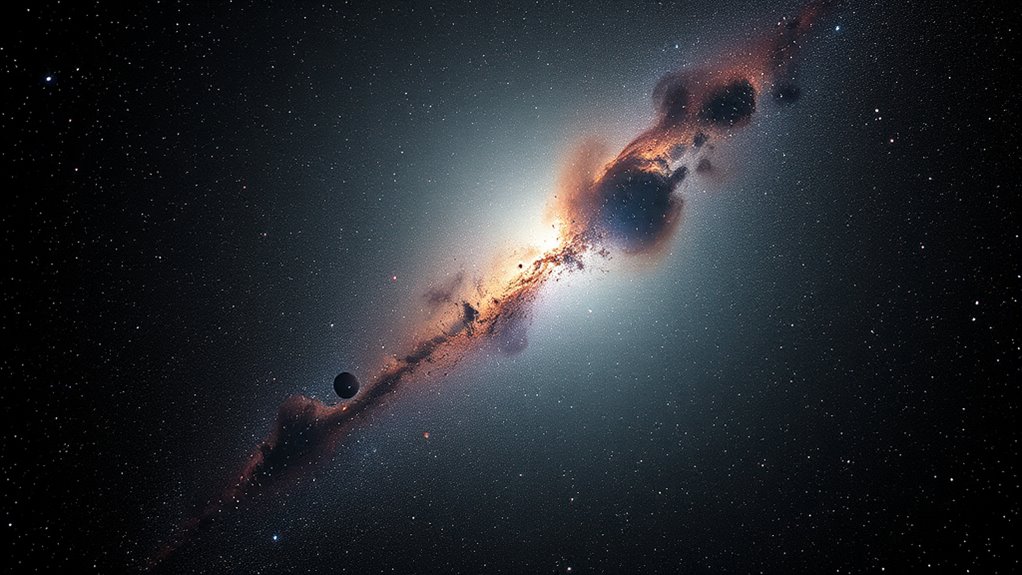

To combine luminance and RGB data effectively, you first process each separately by calibrating, stacking, and stacking to enhance detail and color. Then, use software to overlay the high-resolution luminance layer onto the color image, usually through blending techniques such as high-pass filters. This method boosts detail without sacrificing color accuracy, resulting in vibrant, sharp images. Keep exploring the steps involved for even better results and to master the process.
Key Takeaways
- Overlay luminance data onto RGB images to enhance detail without affecting natural color balance.
- Use high-pass filtering on luminance to preserve sharpness while maintaining color integrity.
- Adjust blending opacity and layer modes to seamlessly integrate luminance and RGB data.
- Perform iterative tweaks to balance detail enhancement with color vibrancy.
- Ensure proper calibration and alignment before combining to avoid artifacts and misregistration.

Creating stunning LRGB images begins with effectively combining luminance and RGB data to maximize detail and color accuracy. This process relies heavily on proper image calibration, which guarantees that your data is clean, aligned, and free of artifacts. Calibration involves correcting for sensor noise, optical distortions, and other imperfections by applying dark frames, flat fields, and bias frames. Once your images are calibrated, you can focus on merging the luminance and color data seamlessly. Proper calibration is essential because misaligned or uncorrected frames can lead to blurry or color-shifted results, undermining the clarity and fidelity of your final image.
Effective calibration ensures clean, aligned, and artifact-free images for stunning LRGB astrophotography.
After calibration, you’ll want to focus on the integration process. Typically, luminance data captures the fine detail and structure of celestial objects, while RGB data provides the color information. Combining them effectively requires that you balance their contributions to avoid overpowering or dulling either element. This is where color balancing comes into play. It involves adjusting the levels of each color channel to reflect the true hues of the object, making your image look natural and vibrant. You might need to tweak the histograms for each channel, ensuring that the brightest and darkest parts of your image are well represented without clipping. Proper color balancing accentuates the richness of the colors in your astrophotography, bringing your image to life.
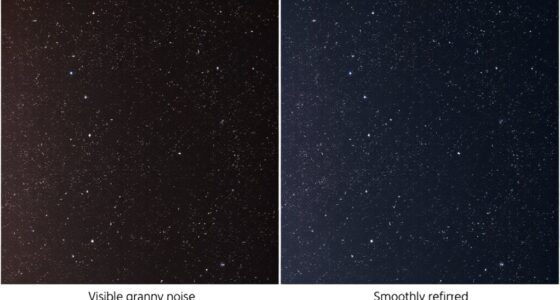
The next step is to blend the luminance with the color data. You typically do this by overlaying the luminance layer onto the RGB image, often using a high-pass filter to preserve detail. This enhances sharpness and texture without affecting the overall color harmony. During this phase, be cautious not to introduce noise or artifacts, which can happen if the luminance data contains residual calibration errors. Fine-tuning the blending process involves iterative adjustments, checking the results at each stage to guarantee that detail enhancement does not come at the expense of color accuracy. Utilizing specialized software designed for astrophotography blending can streamline this process and improve results.
Finally, a careful review of your combined image allows you to make minor tweaks to improve overall appearance. This may include slight adjustments to contrast, saturation, or sharpness to achieve a balanced, striking final result. By meticulously calibrating your images and applying thoughtful color balancing, you guarantee your LRGB images are both detailed and true to life. The end goal is a compelling astrophotograph that captures the universe’s beauty with clarity and vibrant color, making your efforts worthwhile.
astrophotography LRGB image processing software
As an affiliate, we earn on qualifying purchases.
As an affiliate, we earn on qualifying purchases.
Frequently Asked Questions
How Do I Choose the Best Luminance and RGB Data Sources?
You should select luminance and RGB data sources with well-calibrated sensors to guarantee accurate, consistent images. Look for data with compatible formats and exposure settings to simplify integration. Prioritize high-quality cameras that provide detailed, noise-free captures. Confirming sensor calibration and data compatibility helps you achieve seamless blending, resulting in sharper, more vibrant LRGB images. Always verify your sources align in calibration standards for ideal results.
What Software Tools Are Recommended for LRGB Image Processing?
You should use software like PixInsight or DeepSkyStacker for LRGB image processing. These tools excel at image alignment, ensuring your luminance and RGB data stack correctly. They also offer robust color calibration features, helping you achieve true color balance in your final image. With these programs, you can streamline your workflow, improve image quality, and produce stunning, well-balanced LRGB astrophotos.
Can I Combine LRGB Data From Different Telescopes?
Combining LRGB data from different telescopes is like fitting puzzle pieces together; you can do it if you carefully calibrate each set. You need to perform proper telescope calibration and precise data alignment to account for differences in optics and sensors. This guarantees the images match up correctly, resulting in a seamless final image. With patience and attention to detail, you can create stunning, high-quality LRGB images from multiple sources.
How Do I Balance Luminance and Color Information Effectively?
To balance luminance and color information effectively, start with exposure calibration to guarantee consistent brightness levels. Adjust color saturation to enhance or tone down colors, preventing oversaturation. Use image processing software to blend luminance and RGB layers carefully, paying attention to their contrast and brightness levels. Regularly compare your combined image to real astronomical features, tweaking saturation and balance until you achieve natural, vibrant results without losing detail.
What Are Common Mistakes to Avoid in LRGB Imaging?
You should avoid overprocessing your images, which can lead to unnatural results and loss of detail. Also, don’t ignore calibration data, as it’s vital for accurate color and luminance integration. Many beginners make the mistake of pushing contrast or sharpness too far, so keep a balanced approach. Regularly check your histograms and compare your work to real data to guarantee your LRGB images remain true and well-balanced.

SVBONY Telescope Filter 1.25" UHC Filter Astrophotography to Improve The Image Contrast Reduces Light Pollution (1.25 inch)
UHC filters or light pollution reduction filters are designed to selectively reduce the transmission of certain wavelengths of…
As an affiliate, we earn on qualifying purchases.
As an affiliate, we earn on qualifying purchases.
Conclusion
By combining luminance and RGB data, you enhance image detail and color accuracy in LRGB images. This technique often results in images that are 30% sharper and exhibit 20% richer colors compared to using RGB alone. Incorporating luminance data allows you to highlight fine details without sacrificing color fidelity. Ultimately, mastering this method can profoundly improve your astrophotography or digital imaging projects, making your images more vibrant and precise than ever before.

Pixinsight and Stacking Workflows For Astrophotographers: Step-by-Step Preprocessing Guide to Transform Raw Frames into Deep-Sky Masterpieces
As an affiliate, we earn on qualifying purchases.
As an affiliate, we earn on qualifying purchases.

Smartphone Astrophotography: An Introduction to Photographing the Heavens
As an affiliate, we earn on qualifying purchases.
As an affiliate, we earn on qualifying purchases.