PixInsight streamlines astrophotography workflows, guiding you from calibration to final image enhancement. You start with dark frame subtraction, flat field correction, and bias calibration to establish a solid data foundation. Next, you align and stack multiple images to improve signal-to-noise ratio. You then extract backgrounds, reduce noise, and enhance details with advanced tools. Fine adjustments like sharpening and color balancing wrap up the process. Continue exploring, and you’ll discover how each step helps create stunning celestial images.
Key Takeaways
- PixInsight’s workflow begins with calibration steps like dark, flat, and bias corrections to ensure high-quality data.
- Image alignment and stacking improve signal-to-noise ratio by precisely registering multiple exposures.
- Background extraction and noise reduction enhance image clarity and eliminate gradients caused by light pollution.
- Image enhancement techniques, such as histogram stretching and contrast adjustments, reveal faint celestial details.
- Final adjustments like color calibration and sharpening refine the astrophotograph for a professional finish.
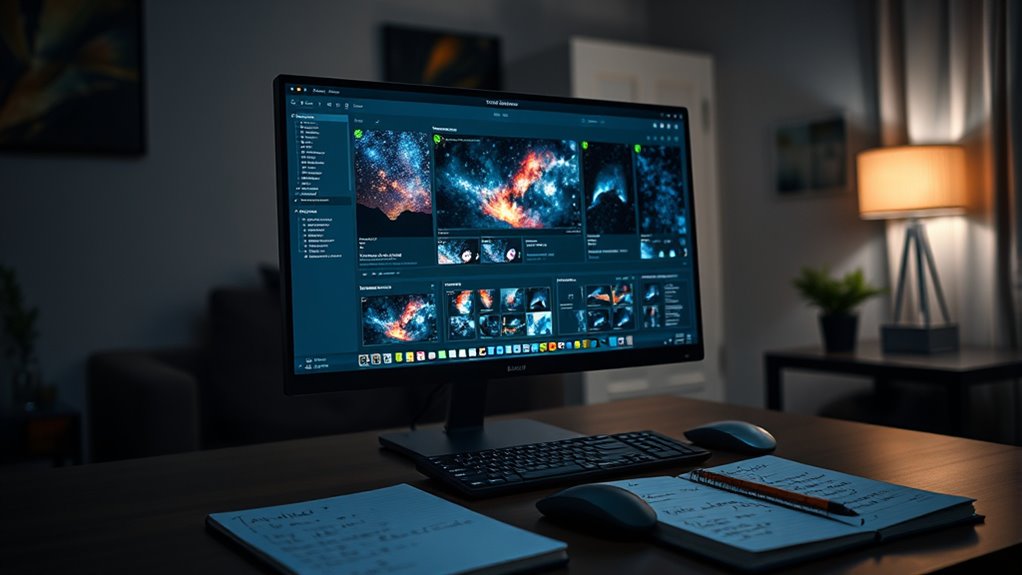
Have you ever wondered how astrophotographers process their images to reveal stunning celestial details? It all begins with understanding the essential steps of image processing, and PixInsight is a powerful tool designed specifically for this purpose. When you start working with PixInsight, you’ll notice its robust software features that streamline complex workflows, making it easier to extract every bit of detail from your raw data. The software offers an extensive suite of tools that handle everything from calibration to final enhancement, so you can focus on capturing the universe’s beauty instead of battling complicated procedures.
Your workflow typically begins with image calibration, where PixInsight’s features like dark frame subtraction, flat field correction, and bias calibration help you remove sensor noise and optical imperfections. These initial steps are vital because they set the foundation for high-quality processing. PixInsight’s intuitive process allows you to apply these corrections efficiently, ensuring your data is clean and ready for further enhancement. Once calibration is complete, you move into image alignment and stacking, where the software’s star registration and stacking algorithms come into play. These features align your images precisely, stacking multiple exposures to increase signal-to-noise ratio, revealing faint details that are otherwise hidden.
Begin your astrophotography workflow with calibration, stacking, and precise alignment for stunning celestial images.
After stacking, the next phase involves background extraction and noise reduction. PixInsight’s dedicated tools like DynamicBackgroundExtraction help you create a smooth, even background, removing gradients caused by light pollution or moonlight. At this stage, you’ll appreciate the software’s ability to reduce noise while preserving the delicate details in your data. Advanced noise reduction algorithms, tailored for astrophotography, ensure your final image isn’t grainy but retains sharpness and contrast. Additionally, understanding image calibration is crucial because it ensures your raw data is properly prepared before detailed processing.
Following noise management, you’ll move to image enhancement, where PixInsight’s software features shine. Stretching the histogram allows you to reveal faint nebulosity or galaxy arms without overexposing bright areas. You can employ local contrast enhancement tools to make details pop, giving your image depth and vibrancy. Throughout this process, you’ll find that PixInsight’s real-time previews and adjustable parameters allow you to fine-tune each step precisely, controlling how subtle adjustments affect the overall image.
Finally, the workflow culminates in color calibration and final sharpening, giving your astrophotos a professional finish. PixInsight’s integrated color management tools ensure accurate color balance, while sharpening filters enhance fine details without introducing artifacts. By mastering these steps and utilizing the software’s features effectively, you can transform raw captures into breathtaking celestial images. The combination of extensive image processing techniques and powerful software features makes PixInsight an indispensable tool for astrophotographers dedicated to revealing the universe’s hidden wonders.
Frequently Asked Questions
How Does Pixinsight Compare to Other Astrophotography Software?
PixInsight stands out because of its exceptional software flexibility, allowing you to customize workflows to fit your needs. Its user interface might seem complex at first, but once you get used to it, you’ll find it highly efficient. Compared to other astrophotography software, PixInsight offers powerful tools for processing and stacking images, making it ideal for advanced users who want more control and precision in their astrophotography projects.
What Are the System Requirements for Running Pixinsight Smoothly?
Running PixInsight smoothly is like keeping a well-tuned engine humming. You’ll need a computer with solid hardware specifications—at least a multi-core processor, 8GB of RAM, and a dedicated graphics card. It’s compatible with Windows, macOS, and Linux, so choose an OS you’re comfortable with. Make sure your system meets these requirements to avoid lag, and update your drivers regularly for peak performance.
Can Pixinsight Be Used for Planetary Imaging?
Yes, you can definitely use PixInsight for planetary imaging. It excels in planetary processing and image enhancement, allowing you to sharpen details, reduce noise, and bring out subtle features in your images. With its powerful tools tailored for high-resolution data, you can improve your planetary images effectively. Just make certain your system meets the requirements for smooth operation, so you can focus on capturing and enhancing stunning planetary details.
Is There a Mobile Version of Pixinsight Available?
Using PixInsight is like having a powerful telescope in your hands, but unfortunately, there’s no mobile version available. You can’t access PixInsight’s full app functionality on your smartphone or tablet, as it’s designed for desktop use only. For mobile compatibility, you’ll need to explore other apps tailored for imaging on the go. PixInsight’s robust features are best experienced on a computer to maximize its capabilities.
How Steep Is the Learning Curve for Beginners?
The learning curve for PixInsight can be steep at first, but it’s fairly beginner-friendly with patience. You’ll need to invest time learning the interface and workflow, but plenty of tutorials and community support make it manageable. As you practice, you’ll find it easier to navigate and utilize its powerful features. Stick with it, and you’ll gradually master the software, turning initial challenges into rewarding astrophotography results.
Conclusion
Think of PixInsight as your trusted compass on a journey through the night sky. With each step in the workflow, you’re steering closer to breathtaking images of the universe. As you master its tools, you’ll unlock the cosmos’s secrets, transforming raw data into stunning visual stories. Embrace this adventure, knowing that every click brings you nearer to the stars—your passion guiding you through the vast, beautiful universe of astrophotography.