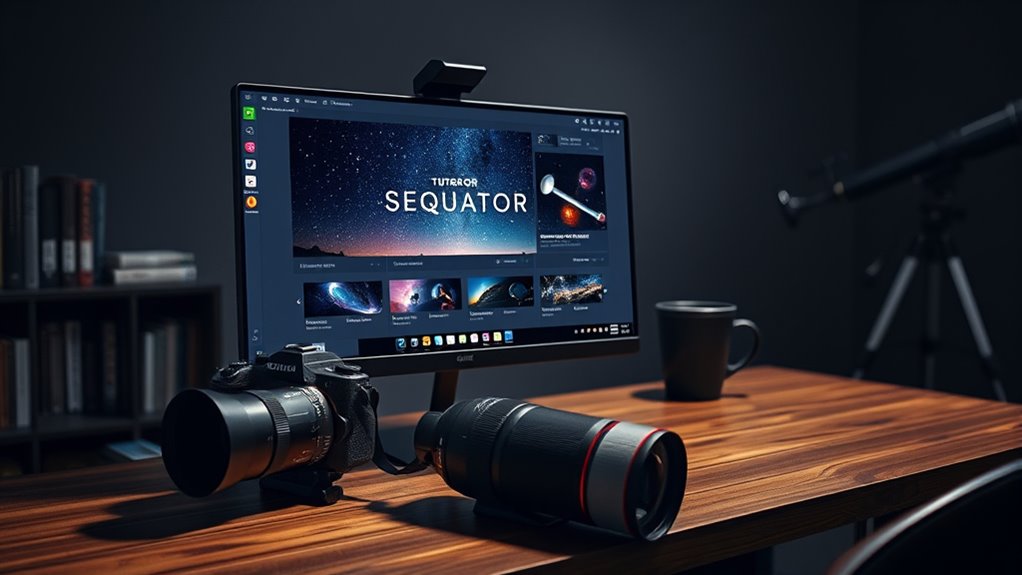

To start with Sequator on Windows, load your images—preferably RAW or high-quality JPEG—and guarantee they’re focused and stable. The interface is simple: it detects stars and aligns images automatically, but you can make manual adjustments if needed. Fine-tune the alignment to prevent star trails, then choose to stack sky images, foreground, or both. Practicing these steps helps improve your results. Keep going, and you’ll discover more tips to perfect your astrophotography workflow.
Listen free for 30 days with Audible
Thousands of audiobooks and originals — cancel anytime.
As an affiliate, we earn on qualifying purchases.
Key Takeaways
- Download and install Sequator on your Windows PC, ensuring your images are in RAW or high-quality JPEG format.
- Gather a sequence of consistent, well-focused night sky images with stable exposures for effective stacking.
- Launch Sequator, load your images, and use the automatic star detection feature for quick alignment.
- Manually adjust alignment settings if needed to refine star pattern matching and prevent star trails.
- Save the stacked image, then optionally process further in photo editing software for enhanced astrophotography results.
If you’re interested in creating stunning astrophotography images, mastering Sequator is essential. This free software simplifies the process of stacking multiple images to enhance your night sky captures. To get the best results, understanding astrophotography techniques and effective image alignment methods is crucial. These skills help you reduce noise, increase detail, and bring out the beauty of celestial objects.
When you start working with Sequator, the first step is to gather your sequence of images. These should be taken in RAW or high-quality JPEG format, ideally with consistent exposure settings. Once you open Sequator, you’ll notice a straightforward interface. To align your images properly, you need to use the image alignment methods available within the software. Sequator automatically detects stars and features in your photos, aligning them to create a seamless composite. However, for ideal results, it’s good to manually select the images or adjust the alignment parameters if needed.
Proper image alignment methods are key for avoiding star trails and ensuring your stacked image is sharp. Sequator’s alignment process involves analyzing star patterns across your frames, which requires minimal input from you. As you load your images into the software, it will identify common points and align them accordingly. Sometimes, if the images are slightly misaligned or taken with different settings, you may need to tweak the alignment options or manually select reference points. This step ensures your stars stay pinpoint sharp and your deep-sky objects are crisp.
Proper alignment ensures sharp stars and clear deep-sky objects in your astrophotography images.
Another technique worth mastering is capturing multiple exposures to improve dynamic range and detail. You can take a series of short exposures for the sky and longer exposures for foreground elements, then stack them separately if desired. Sequator allows you to process these layers by stacking the sky images to boost faint details and using the foreground images to add context. This approach is an indispensable part of astrophotography techniques, making your images more vibrant and detailed. Additionally, understanding image stacking is essential for combining multiple shots effectively and achieving optimal results.
Once you’ve aligned and stacked your images, Sequator makes it easy to save and export your final shot. The key to great astrophotography is patience and practice, especially when learning image alignment methods. Over time, you’ll develop an eye for capturing consistent frames and fine-tuning alignment settings. With these skills, Sequator becomes a powerful tool in your astrophotography arsenal, helping you transform multiple raw images into breathtaking night sky images that truly pop with clarity and detail.
astrophotography camera for night sky
As an affiliate, we earn on qualifying purchases.
As an affiliate, we earn on qualifying purchases.
Frequently Asked Questions
Can Sequator Process Videos as Well as Images?
No, Sequator can’t process videos; it only handles image files for stacking and astrophotography. If you’re looking for video processing, you’ll need dedicated video editing software. Sequator is great for combining multiple images to reduce noise or enhance details, but it isn’t designed for videos. For your image editing needs, stick with Sequator, but for videos, explore tools like Adobe Premiere or DaVinci Resolve.
What Are the System Requirements for Running Sequator Smoothly?
To run Sequator smoothly, you need a system that meets basic hardware requirements like at least 4GB RAM, a modern multi-core processor, and a decent graphics card for better performance. Make sure your Windows OS is compatible, preferably Windows 10 or later. Good software compatibility is essential, so keep your drivers updated. This setup helps you process images efficiently without lag, making your stacking projects much easier.
How Do I Troubleshoot if Sequator Crashes During Stacking?
If Sequator crashes during stacking, first check the error logs to identify specific issues. Make sure your software is up to date, as updates often fix bugs and improve stability. Try reducing the number of images or lowering the resolution to lessen the load on your system. Restart your computer and run Sequator again. If problems persist, reinstall the program and verify your system meets the recommended requirements.
Is Sequator Suitable for Astrophotography Image Stacking?
Yes, Sequator is suitable for astrophotography image stacking. It’s a popular image stacking software among astrophotographers because it simplifies combining multiple images, reducing noise, and enhancing details. You can easily apply astrophotography techniques like aligning and stacking stars or deep-sky objects. Sequator’s user-friendly interface makes it a great choice for beginners and experienced astrophotographers alike, helping you produce clearer, more detailed astrophotography images.
Can Sequator Handle Large Image Files Without Performance Issues?
When you load large image files into Sequator, you might notice performance slowdowns, especially if your system’s memory isn’t optimized. Sequator handles sizable files, but its efficiency depends on your computer’s memory management and file size limitations. Think of it like a busy highway—smaller, well-managed files move faster, while huge ones can cause traffic jams. To keep things smooth, consider resizing images or upgrading your RAM.
star tracking tripod for astrophotography
As an affiliate, we earn on qualifying purchases.
As an affiliate, we earn on qualifying purchases.
Conclusion
Now that you’ve learned how to use Sequator for simple image stacking on Windows, you’re all set to improve your astrophotography shots. Remember, practice makes perfect, so don’t be discouraged if your first attempts aren’t flawless. Keep tinkering and experimenting—soon, you’ll see your images transform into stunning masterpieces. As the saying goes, “Rome wasn’t built in a day,” so stay patient and enjoy the journey to better photos!
high-quality RAW image files for astrophotography
As an affiliate, we earn on qualifying purchases.
As an affiliate, we earn on qualifying purchases.
photo editing software for astrophotography
As an affiliate, we earn on qualifying purchases.
As an affiliate, we earn on qualifying purchases.
Flea & tick season Picks
flea and tick prevention
As an affiliate, we earn on qualifying purchases.