To process astrophotos in Siril, start by calibrating your images with dark, flat, and bias frames to correct sensor and optical issues. Next, apply noise reduction to eliminate thermal and readout noise while maintaining detail. Finally, enhance contrast to highlight faint celestial features. Following this sequence guarantees clean, detailed results. If you keep exploring, you’ll discover how to fine-tune each step for stunning astrophotos.
Key Takeaways
- Learn how to load and apply calibration frames (dark, flat, bias) in Siril for accurate image correction.
- Follow step-by-step procedures for noise reduction to remove thermal, readout, and pattern noise effectively.
- Use Siril’s contrast enhancement tools to reveal faint celestial features after noise suppression.
- Practice proper workflow sequencing: calibrate, denoise, then enhance for best astrophotography results.
- Utilize Siril’s visualization features to refine processing adjustments and achieve high-quality astrophotographic images.

Are you ready to unlock the full potential of Siril for astrophotography processing? If so, you’re about to discover how this powerful open-source tool can transform your raw images into stunning astronomical photographs. The first crucial step in achieving high-quality results is understanding the importance of image calibration. Calibration is essential because it corrects for imperfections and artifacts introduced by your camera sensor and the optical system. When you load your raw images into Siril, you’ll want to start by applying calibration frames—dark, flat, and bias frames. Dark frames help eliminate thermal noise, flat frames correct for vignetting and dust on the sensor, and bias frames address readout noise. Proper calibration ensures that your subsequent processing steps are based on accurate data, minimizing unwanted artifacts and setting a solid foundation for noise reduction and enhancement. Additionally, understanding the image calibration process is vital for achieving accurate color and brightness representation in your final astrophotos.
Once your images are calibrated, you can move on to noise reduction, a crucial step in astrophotography processing. Night sky images are often plagued with various types of noise, including thermal noise, readout noise, and pattern noise, which can obscure faint details of celestial objects. Siril offers several tools to tackle these issues effectively. You can use the noise reduction filters designed specifically for astrophotography, adjusting parameters to strike the right balance between reducing noise and preserving fine details. Over-aggressive noise reduction can make your images appear overly smooth or artificial, so it’s vital to find that sweet spot where noise is minimized without sacrificing the natural texture of stars, nebulae, or galaxies.
In Siril, you’ll also want to utilize the contrast enhancement tools after noise reduction. These help bring out faint features that might otherwise be lost in the background. But always remember, the key is to perform each step carefully: calibration first, then noise reduction, and finally enhancement. This approach ensures your data remains as true to the original scene as possible. As you become more experienced, you’ll notice how calibration and noise reduction work hand-in-hand to reveal more detail and clarity in your images. It might take some experimenting with different settings, but with patience, you’ll start to see your astrophotos improve dramatically. Siril’s user-friendly interface makes it easier to visualize the effects of each adjustment, empowering you to refine your workflow for consistently stellar results.
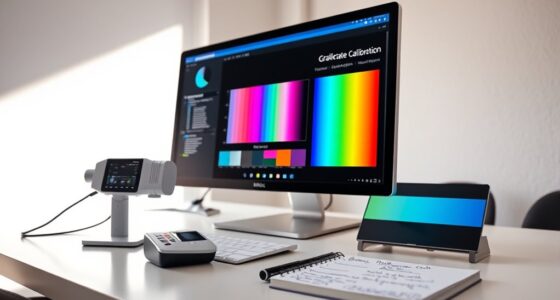
astrophotography calibration frames kit
As an affiliate, we earn on qualifying purchases.
As an affiliate, we earn on qualifying purchases.
Frequently Asked Questions
Can Siril Process Videos or Only Still Images?
Siril primarily processes still images and doesn’t handle video editing or live processing directly. You can, however, convert your astrophotography videos into individual frames using other tools, then import those frames into Siril for stacking and enhancement. While Siril excels at processing still images, for real-time or live processing of astrophotography videos, you’d need specialized video editing software or dedicated astrophotography video tools that support live processing features.
Is Siril Compatible With Windows, Mac, and Linux?
Just like a trusty Swiss Army knife, Siril offers cross-platform compatibility, supporting Windows, Mac, and Linux operating systems. This means you can confidently use it regardless of your preferred platform, ensuring seamless astrophotography processing. Its broad operating system support makes it accessible to a wide range of users, allowing you to focus on capturing and enhancing those stunning celestial images without worrying about software limitations.
How Does Siril Handle Calibration Frames?
Siril handles calibration frames efficiently through a streamlined calibration workflow. You start by applying calibration frame techniques like dark, flat, and bias frames to correct your raw images. During the process, Siril automatically aligns and subtracts these frames, ensuring your data is free of sensor noise and imperfections. This makes your astrophotography images cleaner and more accurate, enhancing your overall processing experience.
Can Siril Be Integrated With Other Astrophotography Tools?
Did you know that over 60% of astrophotographers integrate multiple tools for better results? You can definitely connect Siril with other astrophotography software through software integration, enhancing your workflow. While Siril doesn’t have extensive plugin support, it works well with common formats and can be used alongside image stacking or processing tools. This seamless compatibility helps you streamline your astrophotography projects and achieve more precise, professional results.
What Are the System Requirements for Running Siril Smoothly?
You need a computer with at least a dual-core processor, 4GB of RAM, and a decent graphics card for smooth Siril performance. Make certain your hardware specifications meet or exceed these to avoid lag. Additionally, verify you have the necessary software dependencies installed, like the latest Qt framework and compatible operating system (Windows, macOS, or Linux). Keeping everything updated helps Siril run efficiently on your system.
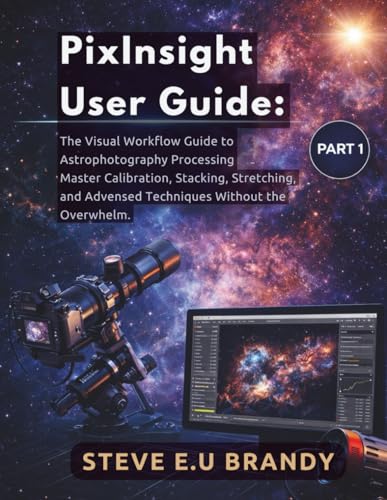
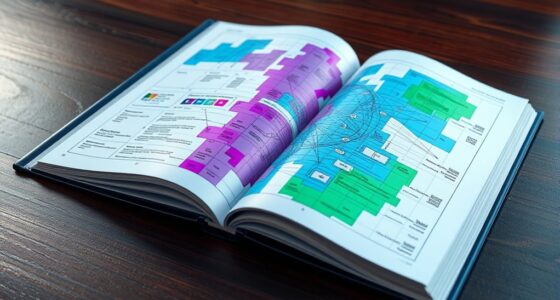
PixInsight User Guide:: The Visual Workflow Guide to Astrophotography Processing – Master Calibration, Stacking, Stretching, and Advanced Techniques Without the Overwhelm. PART1
As an affiliate, we earn on qualifying purchases.
As an affiliate, we earn on qualifying purchases.
Conclusion
Don’t let the learning curve hold you back—Siril is powerful and free, making it accessible for beginners and pros alike. With a little practice, you’ll transform raw astrophotos into stunning images. If you’re worried about complexity, remember that plenty of tutorials and community support are available to guide you. Jump in, experiment, and enjoy the process. Your celestial captures will improve faster than you think, revealing the universe’s beauty right from your own backyard.

The 100 Best Astrophotography Targets: A Monthly Guide for CCD Imaging with Amateur Telescopes (The Patrick Moore Practical Astronomy Series)
Used Book in Good Condition
As an affiliate, we earn on qualifying purchases.
As an affiliate, we earn on qualifying purchases.

HOYA 77mm STARSCAPE Light Pollution Astrophotography Filter – Didymium Glass with Enhanced HMC Multicoating Technolgy – Boost Star-to-Sky Contrast – Reduce Night City Sky Color Cast
BLOCKS LIGHT POLLUTION FOR CRISP, CLEAN NIGHT SHOTS – The Starscape 77 mm lens filter cuts unwanted yellow-orange…
As an affiliate, we earn on qualifying purchases.
As an affiliate, we earn on qualifying purchases.