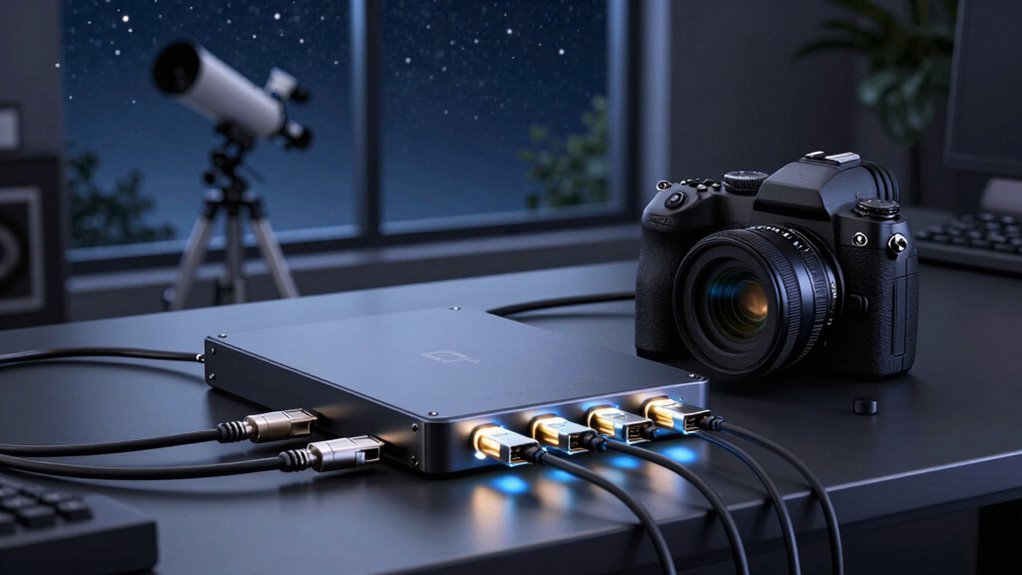

USB-over-Ethernet extenders for astro cameras let you place a camera away from a computer while carrying its USB connection over a Cat5e or Cat6 cable. My best overall pick is the StarTech.com 330 ft industrial extender, which stands out for its long reach, metal case, and ESD protection. For a powered multi-device setup, the AV Access USB 2.0 extender with a four-port hub is a practical alternative, while the AV Access USB 3.0 5 Gbps model suits buyers whose camera and workflow need higher data rates. The main tradeoffs are USB 2.0 versus USB 3.0 bandwidth, single-device simplicity versus hub capacity, and advertised distance versus the cable and power needs of an actual rig. Read on for the full breakdown and guidance on matching an extender to your camera, accessories, and observing setup.

Prime made for students and young adults
- Fast, free delivery for dorm and study essentials
- Prime Video and Amazon Music included
- Member-only deals
Key Takeaways
- The StarTech.com 330 ft model leads on ruggedness and reach: its industrial-style metal case and ESD protection separate it from the many basic USB 2.0 kits.
- AV Access has two distinct use cases: its USB 2.0 model adds a four-port hub, while its USB 3.0 model targets higher-bandwidth devices and offers a 5 Gbps link.
- Distance claims vary widely: several models are rated around 150–165 ft, while the long-reach options claim up to 330 ft; cable quality and installation still affect practical results.
- Port count is not the same as dependable power: a hub can simplify connecting a camera and accessories, but buyers should check the kit’s power arrangement and each device’s draw.
- USB 2.0 is the common baseline in this group: it can suit many camera-control and imaging setups, but buyers with higher-throughput cameras should give the USB 3.0 AV Access model a closer look.
| USB 2.0 Extender over Ethernet with 4-Port Hub |  | Best Overall for a Multi-Device Imaging Station | USB standard: USB 1.1 and USB 2.0 | Maximum distance: 196 ft (60 m) | Supported cable: Cat5e, Cat6, or Cat7 | VIEW ON AMAZON | See Our Full Breakdown |
| Adaptermvp USB Extender over Ethernet, 2 Pairs, RJ45 |  | Best for a Simple, Self-Powered Link | Maximum distance: 150 ft (45 m) | Cable compatibility: Cat5, Cat5e, Cat6, Cat7, Cat8 | Quantity: 2 pairs | VIEW ON AMAZON | See Our Full Breakdown |
| Monoprice USB Extender over Cat5e/Cat6, up to 150 ft |  | Best for Legacy, Low-Bandwidth Devices | USB standard: USB 1.0/1.1 | Maximum distance: 150 ft | Supported cable: Cat5e or Cat6 | VIEW ON AMAZON | See Our Full Breakdown |
| AV Access USB 2.0 Over Ethernet Extender Kit with 4-Port Hub |  | Best Complete Kit for a Fixed Observatory | Model: U2EX50 | USB standard: USB 2.0; compatible with USB 1.1 | Maximum distance: 60 m (196 ft) | VIEW ON AMAZON | See Our Full Breakdown |
| OREI USB Over Cat5e/6 Extender 165 ft PoC USB 2.0 Over Ethernet with 2 Ports |  | Best for a Two-Device Setup with Simplified Remote Power | Model: USB-EX165-K | Supported USB version: USB 2.0 | Maximum data rate: 480 Mbps | VIEW ON AMAZON | See Our Full Breakdown |
| Cable Matters USB 2.0 over Ethernet Extender with Power Adapter, 150 ft |  | Best for Mid-Range Setups | USB standard: USB 2.0 | Maximum extension: 150 ft | Ethernet cable: Cat 6 | VIEW ON AMAZON | See Our Full Breakdown |
| StarTech.com USB 2.0 Extender Over Cat5e/Cat6 Ethernet Cable (RJ45) – 330 ft / 100 m Industrial Adapter Kit with ESD Protection and Metal Case |  | Best for Long Industrial Runs | USB standard: USB 2.0; backward compatible with USB 1.0/1.1 | Maximum extension: 100 m / 330 ft | Compatible Ethernet cable: Cat5e or Cat6 | VIEW ON AMAZON | See Our Full Breakdown |
| OREI USB 2.0 over Ethernet Extender, Cat5e/6/7, up to 330 ft |  | Best for Flexible Cable Choices | USB standard: USB 2.0; supports USB 1.1 | Maximum extension: 330 ft / 100 m | Compatible Ethernet cable: Cat5e, Cat6, or Cat7 | VIEW ON AMAZON | See Our Full Breakdown |
| eKL USB 2.0 Extender, 196 ft (60 m) over Cat5e/Cat6 with 4-Port Output |  | Best for Multiple USB Peripherals | USB standard: USB 2.0 | Maximum range: 196 ft / 60 m | Compatible Ethernet cable: Cat5e or Cat6 | VIEW ON AMAZON | See Our Full Breakdown |
| AV Access USB 3.0 Extender over Ethernet, 330 ft (100 m), 5 Gbps, 4-Port USB Hub |  | Best for High-Bandwidth Cameras | USB standard: USB 3.0 | Maximum extension: 330 ft / 100 m | Maximum data rate: Up to 5 Gbps | VIEW ON AMAZON | See Our Full Breakdown |
| GREATHTEK USB Extender Over Ethernet with 4 USB 2.0 Ports, 50 m (165 ft) |  | Best for a Four-Port Astro-Camera Station | USB standard: USB 2.0 | USB ports: 4 | Maximum transmission distance: 50 m (165 ft) | VIEW ON AMAZON | See Our Full Breakdown |
| Cable Matters USB 2.0 over Cat6 Extender with 2 USB-A Ports, 165 ft |  | Best for a Simple Two-Device Link | USB standard: USB 2.0 | Maximum cable length: 165 ft | Cable type: Cat6 | VIEW ON AMAZON | See Our Full Breakdown |
| J-Tech Digital USB 2.0 Extender over Cat5e/Cat6, 164 ft, with 4-Port Hub |  | Best for Linux and Mixed-OS Rigs | USB standard: USB 2.0, backward compatible with USB 1.1 | USB ports: 4 | Maximum extension distance: 164 ft | VIEW ON AMAZON | See Our Full Breakdown |
| usb over ethernet extenders for astro camera | USB standard | Maximum data rate |
|---|---|---|
| USB 2.0 Extender over Ethernet | USB 1.1 and USB 2.0 | — |
| Adaptermvp USB Extender over E | — | — |
| Monoprice USB Extender over Ca | USB 1.0/1.1 | — |
| AV Access USB 2.0 Over Etherne | USB 2.0; compatible with USB 1.1 | — |
| OREI USB Over Cat5e/6 Extender | — | 480 Mbps |
| Cable Matters USB 2.0 over Eth | USB 2.0 | 480 Mbps |
| StarTech.com USB 2.0 Extender | USB 2.0; backward compatible with USB 1.0/1.1 | 480 Mbps |
| OREI USB 2.0 over Ethernet Ext | USB 2.0; supports USB 1.1 | 480 Mbps |
| eKL USB 2.0 Extender | USB 2.0 | 0.48 Gbps |
| AV Access USB 3.0 Extender ove | USB 3.0 | Up to 5 Gbps |
| GREATHTEK USB Extender Over Et | USB 2.0 | 480 Mbps |
| Cable Matters USB 2.0 over Cat | USB 2.0 | 480 Mbps |
| J-Tech Digital USB 2.0 Extende | USB 2.0, backward compatible with USB 1.1 | 480 Mbps |
More Details on Our Top Picks
USB 2.0 Extender over Ethernet with 4-Port Hub
For an astro-camera setup that needs more than one USB connection at the mount, this extender pairs a 196 ft reach with a four-port USB 2.0 hub. That gives you room to connect a camera alongside accessories such as a guide camera or focuser, while keeping the computer farther from the telescope. Its stated 480 Mbps ceiling and support for two webcams make it a more suitable fit for imaging peripherals than the Monoprice extender, which is limited to USB 1.0/1.1. The tradeoff is that you must supply both the Ethernet cable and a DC 5V power supply; unlike the Adaptermvp pair, it is not described as self-powered. I’d favor it when port count and distance matter more than minimizing equipment at the telescope end.
Pros:- Extends USB 2.0 over Cat5e, Cat6, or Cat7 cable up to 196 ft.
- Four USB ports provide room for multiple imaging accessories.
- Supports two webcams simultaneously, according to the product description.
- Plug-and-play operation across Windows, macOS, Android, and Linux.
Cons:- Requires a separate Ethernet cable and DC 5V power supply.
- USB 2.0 tops out at 480 Mbps, below the bandwidth available from USB 3.0 extenders.
- The listed compatibility does not establish that every astronomy camera or capture application will work with it.
Best for: Astrophotographers who need to connect several USB 2.0 imaging accessories near a mount and run one Ethernet link back to a computer.
Not ideal for: Travel-focused imagers who want a self-powered adapter with minimal setup, or anyone whose camera workflow needs USB 3.0 speeds.
- USB standard:USB 1.1 and USB 2.0
- Maximum distance:196 ft (60 m)
- Supported cable:Cat5e, Cat6, or Cat7
- USB ports:4
- Maximum transfer rate:480 Mbps
- Power:DC 5V
- Enclosure:Metal
- Operating systems:Windows, macOS, Android, Linux
Our verdict“Choose this model for a long run and several USB 2.0 accessories, provided you can supply power at the extender and do not need USB 3.0 bandwidth.”
Adaptermvp USB Extender over Ethernet, 2 Pairs, RJ45
The Adaptermvp is the leanest choice here for extending a single USB connection without adding a power adapter at the remote end. Its self-powered, driver-free design can simplify a setup where the computer is indoors and a camera or other peripheral is outside, while support for Cat5 through Cat8 cable offers flexibility when choosing a run. Compared with the four-port USB 2.0 Extender over Ethernet, this is a pair of adapters rather than a powered hub, so it suits a simpler connection better than a cluster of imaging devices. The listed maximum is 150 ft, but the product calls for high-quality cable beyond 30 ft; that makes cable choice a real part of the setup, not an afterthought. It also does not include the Ethernet cable.
Pros:- Self-powered design needs no external power supply.
- Plug-and-play operation requires no driver installation.
- Supports Cat5, Cat5e, Cat6, Cat7, and Cat8 cable.
- Rated for extension up to 150 ft with suitable cabling.
Cons:- Ethernet cable is not included.
- The product calls for high-quality cable beyond 30 ft for stable performance.
- It is a basic adapter pair, not a multiport hub for several mount-side accessories.
Best for: Astrophotographers extending one USB peripheral over an existing or carefully selected Ethernet run who want to avoid a separate extender power supply.
Not ideal for: Imagers who need multiple USB devices at the mount, a supplied Ethernet cable, or an especially predictable long-run installation without checking cable quality.
- Maximum distance:150 ft (45 m)
- Cable compatibility:Cat5, Cat5e, Cat6, Cat7, Cat8
- Quantity:2 pairs
- Transmitter connectors:USB Type-A male and RJ45 female
- Receiver connectors:USB Type-A female and RJ45 female
- Power:Self-powered; no external power required
- Ethernet cable included:No
- Operating systems:Windows, Mac OS 8.6 or higher, and most operating systems
Our verdict“Pick the Adaptermvp pair for a straightforward, self-powered single-device link, but choose a hub model if your imaging rig needs several USB connections.”
Monoprice USB Extender over Cat5e/Cat6, up to 150 ft
This Monoprice extender has one defining limit: it carries USB 1.0/1.1 only. That rules it out for many modern imaging-camera workflows, where USB 2.0 or faster may be needed, but it can still suit a legacy, low-bandwidth accessory such as a keyboard or mouse positioned near the telescope. Its 150 ft reach and bus-powered operation make the setup simple, without the external supply required by the four-port USB 2.0 Extender over Ethernet. That simplicity does not compensate for the speed ceiling if you plan to send camera data through it. Compared with the Adaptermvp, this model also has an older USB standard and supports Cat5e or Cat6 rather than a broader range of Ethernet cable categories. I’d treat it as a niche accessory link, not a general astro-camera extender.
Pros:- Extends a USB connection up to 150 ft over Cat5e or Cat6.
- USB bus-powered, with no external power supply required.
- Supports a range of basic peripherals, including keyboards, mice, and cameras.
- Includes two ports.
Cons:- Limited to USB 1.0/1.1 and does not support USB 2.0 or USB 3.0 speeds.
- Cat5e and Cat6 are the only listed cable types.
- Poor fit for modern astro cameras that need higher data throughput.
Best for: Owners of legacy USB 1.0/1.1 accessories, such as a keyboard or mouse, who want a long run without a separate power supply.
Not ideal for: Astrophotographers connecting a modern imaging camera or any device that requires USB 2.0 or USB 3.0 data rates.
- USB standard:USB 1.0/1.1
- Maximum distance:150 ft
- Supported cable:Cat5e or Cat6
- Ports:2
- Power:USB bus powered
- Compatible devices:PCs, game consoles, cameras, printers, keyboards, and mice
- Dimensions:6.7 x 5 x 1.1 in
- Weight:3.2 oz
Our verdict“Choose this only for legacy, low-bandwidth accessories; for an imaging camera, the USB 2.0 models in this roundup are a better match.”
AV Access USB 2.0 Over Ethernet Extender Kit with 4-Port Hub
The AV Access kit is the most ready-to-mount option in this group: it includes a power adapter, USB-A to USB-B cable, and mounting brackets, alongside a receiver with four USB 2.0 ports. Its 196 ft reach matches the USB 2.0 Extender over Ethernet with 4-Port Hub, but the included installation hardware makes this model more appealing for a fixed pier or observatory where the extender can stay mounted. It also lists ChromeOS compatibility, adding another platform beyond the operating systems named for that four-port alternative. The tradeoff is familiar for this class: 480 Mbps maximum and a separate Cat5e, Cat6, or Cat7 cable that is not included. I’d choose it when a tidier, supplied-accessory installation matters more than USB 3.0 speed or a cable-included package.
Pros:- Extends USB 2.0 connections up to 196 ft over supported Ethernet cable.
- Four-port receiver can connect several mount-side accessories.
- Includes a power adapter, USB-A to USB-B cable, and mounting brackets.
- Lists compatibility with Windows, macOS, Linux, Android, and ChromeOS.
Cons:- Requires a separate Cat5e, Cat6, or Cat7 Ethernet cable.
- USB 2.0 data rate is limited to 480 Mbps.
- The included power adapter and mounting hardware add equipment to a portable setup.
Best for: Astrophotographers building a fixed observatory or permanent pier setup who want a four-port USB 2.0 receiver and included mounting hardware.
Not ideal for: Mobile imagers who prioritize a compact, self-powered adapter, or camera owners whose workflow requires USB 3.0 bandwidth.
- Model:U2EX50
- USB standard:USB 2.0; compatible with USB 1.1
- Maximum distance:60 m (196 ft)
- Supported cable:CAT5e, CAT6, or CAT7
- Maximum transfer rate:480 Mbps
- USB ports:4
- Included accessories:18 V DC adapter, USB-A to USB-B cable, four mounting brackets with screws
- Operating systems:Android, ChromeOS, Linux, macOS, Windows
Our verdict“Pick the AV Access kit for a permanent multi-device installation where included power and mounting accessories are more useful than a minimal travel setup.”
OREI USB Over Cat5e/6 Extender 165 ft PoC USB 2.0 Over Ethernet with 2 Ports
OREI’s main distinction is Power over Cable: one power adapter at the receiver can supply the extender across the Ethernet run, reducing the need to manage a separate transmitter-side supply. The unit provides two USB-A ports and USB 2.0 support, making it a better match for a camera plus one accessory than the Monoprice USB 1.0/1.1 extender. Its usable reach is listed as 130 ft, despite the 165 ft claim in the product title, so I would plan around the shorter figure. That is also less reach than the 196 ft four-port models from AV Access and the other four-port extender in this batch. The receiver still needs its adapter, and the listing notes an additional international plug adapter may be needed. This is a focused two-device option, not the strongest pick for a crowded imaging rig.
Pros:- Power over Cable reduces the need for multiple extender power adapters.
- Two USB-A ports support a camera and one additional peripheral.
- USB 2.0 supports data rates up to 480 Mbps.
- Plug-and-play operation and support for Windows, macOS, Android, and Linux.
Cons:- The stated effective maximum is 130 ft, shorter than the title’s 165 ft claim.
- A power adapter is still required at the receiver.
- Two ports offer less expansion than the four-port AV Access and USB 2.0 hub models.
Best for: Astrophotographers connecting a camera and one additional USB 2.0 accessory who want power delivered from the receiver end.
Not ideal for: Imagers needing more than two USB ports, a run longer than 130 ft, or a setup with no convenient receiver-side power.
- Model:USB-EX165-K
- Supported USB version:USB 2.0
- Maximum data rate:480 Mbps
- Maximum distance:130 ft (40 m) effective distance stated
- Ports:2 USB-A
- Power delivery:Power over Cable; adapter at receiver end
- Input voltage:120 V AC
- Weight:0.56 kg
Our verdict“Choose the OREI when two USB 2.0 devices and receiver-side Power over Cable suit your setup, but plan for a 130 ft maximum and an available outlet.”
Cable Matters USB 2.0 over Ethernet Extender with Power Adapter, 150 ft
For an astro camera positioned within 150 feet of the control computer, this Cable Matters extender offers a straightforward USB 2.0 link over Cat 6. Its receiver has a 5 V power port, a useful provision when a camera needs power at the remote end, though the product data does not specify a higher current output. Compared with the StarTech.com USB 2001EXT2NA, it gives up substantial cable reach but may suit a shorter observatory run without requiring a 330-foot-rated kit. The tradeoff is its USB 2.0 ceiling: 480 Mbps is far below USB 3.0, so I would avoid it for cameras whose capture workflow depends on higher bandwidth. The Ethernet link also calls for Cat 6, rather than the broader cable-category support listed for the OREI extender.
Pros:- Extends a USB 2.0 connection up to 150 feet.
- Receiver includes a 5 V power port for a remote peripheral.
- Supports data rates up to 480 Mbps.
- Male-to-female connectors fit a common USB connection arrangement.
Cons:- Requires a Cat 6 Ethernet cable.
- USB 2.0 bandwidth is unsuitable for workflows that need USB 3.0 speeds.
- Its 150-foot maximum is much shorter than the StarTech.com and OREI 330-foot options.
Best for: Astro-camera owners with a Cat 6 run of 150 feet or less who need a simple USB 2.0 connection and a receiver-side power port.
Not ideal for: Imagers using bandwidth-hungry cameras or planning a run beyond 150 feet; its USB 2.0 limit and shorter rated reach may be restrictive.
- USB standard:USB 2.0
- Maximum extension:150 ft
- Ethernet cable:Cat 6
- Maximum data rate:480 Mbps
- Receiver power:5 V
- Compatible devices:Keyboard, mouse, printer, webcam
- Model:202059-BLK
- Weight:0.13 kg
Our verdict“Choose this for a moderate-length Cat 6 camera run where USB 2.0 is sufficient and remote-end power is useful.”
StarTech.com USB 2.0 Extender Over Cat5e/Cat6 Ethernet Cable (RJ45) – 330 ft / 100 m Industrial Adapter Kit with ESD Protection and Metal Case
When the camera is far from the control room, the StarTech.com kit stands out for its 330-foot reach over Cat5e or Cat6. That range gives it an advantage over the Cable Matters 150 ft extender for observatories with a long cable path, while its metal housing and ESD protection suit installations where exposed equipment and electrical noise are concerns. It is still a USB 2.0 extender, so the 480 Mbps ceiling can limit high-throughput camera use; the longer reach does not make it a faster link. The remote end also needs its external power adapter to provide the stated 500 mA, adding another powered component near the camera. I would favor it over the OREI option when rugged construction and specified ESD protection matter more than a wider cable-category list.
Pros:- Supports a long reach of up to 330 feet over Cat5e or Cat6.
- Metal housing and stated 8 kV/16 kV ESD protection suit demanding installations.
- External adapter supplies up to 500 mA at the remote end.
- Driverless setup and backward compatibility with USB 1.0/1.1 devices.
Cons:- Limited to USB 2.0 data rates up to 480 Mbps.
- Requires an external power adapter at the receiver.
- Metal enclosure may be awkward in a cramped telescope-side setup.
Best for: Astrophotographers routing USB 2.0 from a remote imaging station over a long Cat5e or Cat6 run, especially in a more demanding installation.
Not ideal for: Owners of USB 3.0 cameras, or anyone who cannot supply power at the remote end or fit a larger metal adapter.
- USB standard:USB 2.0; backward compatible with USB 1.0/1.1
- Maximum extension:100 m / 330 ft
- Compatible Ethernet cable:Cat5e or Cat6
- Maximum data rate:480 Mbps
- Remote power:500 mA via external adapter
- Ports:2
- Housing:Metal
- Input voltage:5 V
Our verdict“Pick this for a long, rugged USB 2.0 camera run when remote power and the larger receiver are manageable.”
OREI USB 2.0 over Ethernet Extender, Cat5e/6/7, up to 330 ft
The OREI is a sensible pick when an observatory already has Cat5e, Cat6, or Cat7 cable in place: it supports all three and reaches up to 330 feet. That flexibility distinguishes it from the Cable Matters 150 ft model, which specifies Cat 6 and a shorter maximum run. For astro-camera use, though, the OREI remains a USB 2.0 extender capped at 480 Mbps, so the broad cable support does not translate into USB 3.0 camera bandwidth. Setup is simple, with no software required, and one receiver-side adapter supplies power over the cable arrangement. Its metal housing is a plus for a fixed installation, but buyers should plan for a separate Ethernet cable and check the adapter arrangement for their location. Compared with StarTech, it lists more supported cable categories but does not specify ESD protection.
Pros:- Extends USB up to 330 feet.
- Works with Cat5e, Cat6, or Cat7 cable.
- Plug-and-play operation requires no software.
- Metal housing and support for Windows, macOS, Android, and Linux.
Cons:- USB 2.0 limits the maximum data rate to 480 Mbps.
- Ethernet cable is not listed among the included items.
- Requires a receiver-side power adapter, with international adapter compatibility to check.
Best for: Astrophotographers reusing existing Cat5e, Cat6, or Cat7 cabling for a long USB 2.0 camera connection.
Not ideal for: Users needing USB 3.0 throughput, a multiport receiver, or a kit that includes its Ethernet cable.
- USB standard:USB 2.0; supports USB 1.1
- Maximum extension:330 ft / 100 m
- Compatible Ethernet cable:Cat5e, Cat6, or Cat7
- Maximum data rate:480 Mbps
- Power:One adapter required at the receiver
- Setup:Plug and play; no software required
- Operating systems:Windows, macOS, Android, Linux
- Included items:Transmitter, receiver, power adapter, instruction manual
Our verdict“Choose the OREI when existing Cat5e, Cat6, or Cat7 cabling and long USB 2.0 reach matter more than higher bandwidth.”
eKL USB 2.0 Extender, 196 ft (60 m) over Cat5e/Cat6 with 4-Port Output
The eKL’s main distinction is its four-port receiver, which can put an astro camera and several accessories at the telescope end without a separate hub. Its listed support for two web cameras simultaneously also makes it more useful for a multi-camera setup than the single-connection Cable Matters extender. The 196-foot range is a middle ground: longer than Cable Matters’ 150 feet, but well short of the StarTech.com 330-foot kit. That makes it a better fit for a compact observatory or a moderate backyard run than a distant control room. It operates at USB 2.0 speeds and needs Cat5e or Cat6 cable; the supplied power adapter is part of the kit. Camera compatibility should still be checked, since a four-port hub does not guarantee that every combination of devices will receive enough power or bandwidth.
Pros:- Four output ports allow several USB devices at the receiver.
- Extends USB up to 196 feet over Cat5e or Cat6.
- Plug-and-play operation requires no driver.
- Product information states support for two web cameras simultaneously.
Cons:- Shorter maximum reach than the 330-foot StarTech.com and OREI options.
- USB 2.0 limits throughput to 480 Mbps.
- Available information does not specify a per-port power budget for multiple devices.
Best for: Astrophotographers with a moderate-length cable run who want to connect a camera alongside other USB accessories at the remote end.
Not ideal for: Users needing 330-foot reach, USB 3.0 transfer rates, or a confirmed power budget for several demanding devices at once.
- USB standard:USB 2.0
- Maximum range:196 ft / 60 m
- Compatible Ethernet cable:Cat5e or Cat6
- Maximum data rate:0.48 Gbps
- Input ports:1
- Output ports:4
- Maximum voltage:12 V DC
- Included items:Transmitter, receiver, power adapter, USB cable, user manual
Our verdict“Pick the eKL for a moderate-distance setup that needs several remote USB connections, but not for a long-range or USB 3.0 workflow.”
AV Access USB 3.0 Extender over Ethernet, 330 ft (100 m), 5 Gbps, 4-Port USB Hub
This AV Access model is the standout choice here for an astro camera that benefits from USB 3.0 bandwidth: its stated maximum of 5 Gbps is far above the USB 2.0 limit of the StarTech.com and OREI extenders. It also combines a 330-foot reach with four receiver-side USB-A ports, including one rated at 1.5 A, which can simplify a remote camera-and-accessory setup. The tradeoffs are practical rather than minor: it needs local power at the receiver, and its host connection is USB Type-C, so check the control computer and included cable before buying. Unlike the Cat6-only Cable Matters option, it supports several cable categories, though the Ethernet cable itself is not listed as included. For USB 2.0-only cameras, this may be more capability than the setup needs.
Pros:- Supports data rates up to 5 Gbps for higher-bandwidth camera workflows.
- Extends the connection up to 330 feet.
- Receiver provides four USB-A ports, including one 1.5 A port.
- Supports Cat5/5e/6/6A/7 cable and several operating systems.
Cons:- Receiver requires local power from the included 12 V adapter.
- Uses a USB Type-C host connection, which may require checking computer compatibility.
- Compatible Ethernet cable is not listed among the included items.
Best for: Astrophotographers using a USB 3.0 camera who need long cable reach, multiple remote USB-A ports, and a 1.5 A port for a higher-power accessory.
Not ideal for: Owners of USB 2.0-only cameras seeking a simpler setup, or users without receiver-side power and a compatible USB-C host connection.
- USB standard:USB 3.0
- Maximum extension:330 ft / 100 m
- Maximum data rate:Up to 5 Gbps
- Compatible Ethernet cable:Cat5/5e/6/6A/7
- Host connection:USB Type-C
- Receiver ports:4 USB-A ports
- High-power port:1.5 A
- Power adapter:12 V, 3 A
- Compatible operating systems:Windows, Linux, macOS, Android, ChromeOS
Our verdict“Choose this for a long-distance USB 3.0 camera setup that can use its multiport receiver and has power available at the telescope end.”
GREATHTEK USB Extender Over Ethernet with 4 USB 2.0 Ports, 50 m (165 ft)
For a remote astro-camera setup that needs several USB connections at the mount, this four-port hub combines a 50 m (165 ft) link with support for Cat5 through Cat7 cable. That reach is a practical match for separating a camera and other USB peripherals from a computer indoors, while plug-and-play operation avoids a driver setup. Compared with the Cable Matters USB 2.0 over Cat6 Extender, which provides two receiver ports, the GREATHTEK gives more connections at the far end; the tradeoff is that its receiver needs its own 5 V adapter. It carries USB 2.0 data at up to 480 Mbps, so I’d favor it for compatible cameras and control accessories rather than a high-throughput imaging workflow. The Ethernet cable is not included, so plan for that separately.
Pros:- Four receiver USB 2.0 ports accommodate multiple mount-side peripherals.
- Supports up to 50 m (165 ft) over Cat5, Cat5e, Cat6, or Cat7 cable.
- Plug-and-play operation requires no driver installation.
- Includes the transmitter, receiver, USB cable, and 5 V power adapter.
Cons:- The receiver needs a separate 5 V power connection at the remote location.
- Ethernet cable is required but not listed as included.
- USB 2.0 bandwidth may limit workflows involving high data throughput.
Best for: Astrophotographers who need to connect up to four compatible USB 2.0 devices at a mount as far as 50 m from the computer.
Not ideal for: Imagers who require USB 3.0 bandwidth, or buyers who need a complete kit with the Ethernet cable included.
- USB standard:USB 2.0
- USB ports:4
- Maximum transmission distance:50 m (165 ft)
- Supported cable types:Cat5, Cat5e, Cat6, Cat7
- Maximum data rate:480 Mbps
- Receiver power:5 V DC power adapter
- Compatibility:Windows 10, Mac
- Model:GHT-HT233U
Our verdict“Choose this GREATHTEK when a long run and four USB 2.0 connections matter more than avoiding a powered receiver.”
Cable Matters USB 2.0 over Cat6 Extender with 2 USB-A Ports, 165 ft
The Cable Matters is a straightforward choice when an astro-camera station needs a 165 ft Cat6 run but only a pair of USB connections at the receiver. Its two USB-A ports suit a pared-back arrangement, such as a camera and one control accessory, without the four-port hub found on the GREATHTEK GHT-HT233U or J-Tech Digital four-port extender. The receiver’s extra power port can give compatible connected devices an additional power boost, which may be useful when the remote end has more than one peripheral. Data remains USB 2.0, capped at 480 Mbps, so this is not the pick for buyers seeking a faster USB link. The supplied data identifies Cat6 as the cable type, and the power plug is North American Type A, so cable choice and location power should be checked before planning an observatory installation.
Pros:- Extends USB 2.0 connections up to 165 ft over Cat6.
- Two USB-A receiver ports fit a simple camera-and-accessory setup.
- Receiver includes an extra power port for compatible devices.
- Supports data rates up to 480 Mbps.
Cons:- Two receiver ports offer less expansion than the four-port GREATHTEK and J-Tech models.
- USB 2.0 bandwidth is a limitation for higher-throughput imaging needs.
- Specified for Cat6 cable, so it offers less stated cable-type flexibility than the GREATHTEK model.
Best for: Astrophotographers with a Cat6 route who need to connect a camera and one additional USB device at the remote end.
Not ideal for: Buyers who need more than two receiver ports, USB 3.0 speeds, or a setup based outside North America without a suitable power arrangement.
- USB standard:USB 2.0
- Maximum cable length:165 ft
- Cable type:Cat6
- Receiver ports:2 USB-A
- Maximum data rate:480 Mbps
- Connector type:USB Type B
- Power plug:Type A, 2-pin (North American)
- Model:202159
Our verdict“Pick the Cable Matters extender for a 165 ft Cat6 connection with two remote USB devices and no need for a four-port hub.”
J-Tech Digital USB 2.0 Extender over Cat5e/Cat6, 164 ft, with 4-Port Hub
The J-Tech Digital stands out for an astro-camera rig that may be controlled from Windows, macOS, or Linux and needs four ports at the remote end. Its 164 ft reach is close to the 165 ft options from GREATHTEK and Cable Matters, but its stated operating-system support is broader than GREATHTEK’s Windows 10 and Mac compatibility. The four-port hub also gives it an advantage over Cable Matters’ two-port receiver when a camera, mount control, and other accessories need connections together. The tradeoff is familiar for this class: it is USB 2.0, with a maximum 480 Mbps rate, and the receiver requires a power adapter. Its Cat5e/Cat6 cable requirement is narrower than GREATHTEK’s stated Cat5-through-Cat7 range, though it includes backward compatibility with USB 1.1.
Pros:- Four-port hub supports multiple remote USB peripherals.
- Works with Windows, macOS, and Linux according to the supplied specifications.
- Extends USB over a single Cat5e or Cat6 cable up to 164 ft.
- Includes USB 1.1 backward compatibility and a one-year manufacturer replacement warranty.
Cons:- Receiver requires a power adapter at the remote end.
- USB 2.0 limits maximum data transfer to 480 Mbps.
- Cable support is specified for Cat5e and Cat6, not the broader range listed for the GREATHTEK extender.
Best for: Astrophotographers running a Linux, macOS, or Windows computer who want four USB 2.0 connections at a remote mount.
Not ideal for: Buyers needing USB 3.0 bandwidth, a receiver that operates without a separate power adapter, or support for Cat5 or Cat7 cable.
- USB standard:USB 2.0, backward compatible with USB 1.1
- USB ports:4
- Maximum extension distance:164 ft
- Supported cable:Single Cat5e or Cat6
- Maximum data rate:480 Mbps
- Compatible operating systems:Windows, macOS, Linux
- Power:Transmitter powered by host PC; receiver requires power adapter
- Warranty:1-year manufacturer replacement warranty
Our verdict“Choose the J-Tech Digital when broad operating-system compatibility and four remote ports matter more than USB 3.0 speed.”

How We Picked
I compared the 13 listed extenders around the needs of an astro camera rig: the stated USB standard, advertised cable distance, port count, power approach, and build features. I gave weight to how clearly each product fits a real setup, such as a single camera at moderate distance, several USB devices at the mount, or a longer outdoor cable run. A higher distance claim did not automatically earn a higher place; the usefulness of extra reach depends on the cable route, device requirements, and installation.
The ranking favors a balance of reach, practical features, and fit for common astronomy workflows. That puts the StarTech.com industrial kit first for its combination of 330 ft reach and protective construction, while AV Access earns separate consideration for USB 2.0 hub convenience and USB 3.0 bandwidth. Models with shorter listed distances remain relevant for compact setups, and hub-equipped options can be a better match than a long-range single-link kit when several accessories need connections at the mount. I also account for the limits of the available product details: advertised specifications do not establish compatibility with every camera or guarantee performance on every cable run.
Factors to Consider When Choosing Usb Over Ethernet Extenders For Astro Cameras
Before choosing, match the extender to the complete path between your computer and the equipment at the mount—not just the camera connector. The right pick depends on camera bandwidth, cable length, accessory power, and where you can safely place the remote unit.
Match USB Speed to the Camera and Capture Workflow
USB 2.0 is common among these extenders, but the camera’s interface and capture mode should drive your choice. A camera used mainly for mount control, focusing, or lower-throughput imaging may work well over USB 2.0, while faster sensors or high-frame-rate capture can call for a USB 3.0 path. A USB 3.0 extender cannot make a USB 2.0 camera faster, and a chain containing a slower device or link may constrain the whole connection. Check the camera maker’s connection requirements and the software’s expected data rate before selecting a kit. If the setup has a mix of devices, decide which ones need the high-speed connection rather than assuming every hub port shares full bandwidth independently. This avoids paying for speed the camera cannot use—or buying a USB 2.0 link that restricts the capture plan.
Treat Advertised Distance as a Limit, Not a Cable-Run Promise
Extender listings may claim distances from roughly 150 ft to 330 ft, but the figure alone does not describe the whole installation. Cable category, construction, connectors, couplers, and electrical noise can all affect reliability across a long run. A cable routed beside power equipment or outdoors may behave differently from a short, uninterrupted cable inside a controlled space. Measure the actual route, including slack for mount movement and a safe service loop, before choosing a reach class. Avoid adding Ethernet switches or patch panels unless the extender maker explicitly supports them in the link. If the run is near the stated maximum, favor a model with more rated reach rather than planning around a best-case cable path.
Count Devices, Then Check Their Power Needs
A four-port hub can reduce cable clutter at the telescope by bringing the camera and accessories to one remote point. That convenience does not mean every connected device will receive enough power, or that all ports can deliver their full data rate at once. Cameras, filter wheels, focusers, and guide cameras can place different demands on a hub, so check whether the extender includes a power adapter and what the connected equipment requires. Bus-powered accessories may be easier to support than devices with higher draw, but do not assume the host-side link powers everything at the mount. For a camera-only arrangement, a simpler two-port or single-device kit may reduce setup complexity. For a multi-device rig, plan power distribution as carefully as the data connection.
Plan for Moving Mounts and Outdoor Conditions
An astronomy cable run has to tolerate more than distance: the mount may slew, cables can snag, and equipment is often set up in darkness or exposed to changing conditions. Keep the Ethernet cable clear of moving axes and leave enough slack for the mount’s full range without letting a loop drag. A metal case or stated ESD protection can be useful where equipment is handled frequently, but it does not by itself make an extender weatherproof. Keep transmitter and receiver units protected from dew, rain, and condensation, and use outdoor-rated cable where the route calls for it. Secure connectors so movement does not pull on the USB ports. A carefully managed cable path can matter more than choosing the model with the largest distance claim.
Check Compatibility Before Building the Whole Rig Around an Extender
USB extenders can behave differently with specific cameras, operating systems, and control software, especially when a device depends on timing or sustained data transfer. Confirm the extender’s supported USB standard and any stated compatibility limits, then check for camera-maker guidance where available. If possible, test the camera and the other planned devices together before permanently routing cable or mounting the remote unit. A successful connection with a mouse or storage device does not prove a camera will stream reliably at its intended mode. Keep the original short USB cable available for troubleshooting, and change one part of the chain at a time if the camera disconnects. This is a practical safeguard when choosing among products whose listings do not provide the same level of compatibility detail.
Frequently Asked Questions
Is USB 2.0 fast enough for my astro camera?
It depends on the camera’s interface, resolution, frame rate, and capture mode. Many control tasks and lower-throughput imaging workflows can fit within a USB 2.0 connection, but fast planetary capture or high-resolution transfers may need more bandwidth. Check the camera maker’s USB requirements and compare them with the extender’s stated standard before buying. If your camera supports USB 3.0 and your workflow uses its extra throughput, the AV Access USB 3.0 model is the standout option in this roundup. A faster extender will not improve a camera that only supports USB 2.0.
Can I connect a camera, focuser, and filter wheel through a four-port extender hub?
A four-port hub may simplify the mount-side connections, but port count alone does not confirm that all devices will operate reliably together. Check the power needs of the camera, focuser, and filter wheel, along with whether the extender kit has a local power adapter. The devices also share the available USB link, so simultaneous high-throughput use may be limited by the extender’s standard and design. Test the full combination before a session that depends on unattended operation. If one device is unreliable through the hub, a direct connection or separate power arrangement may be necessary.
Should I choose a 330 ft extender if my cable run is only about 150 ft?
Not automatically: extra rated reach is useful as headroom, but your actual cable route and installation conditions matter more than the headline figure. A shorter-rated unit may be a better fit when the run is straightforward and its ports or power arrangement suit your rig. Choose a longer-reach model when you need room for a future setup change or when the cable path approaches the shorter model’s limit. Avoid joining multiple cables or adding network equipment unless the manufacturer says the extender supports that arrangement. For long or electrically noisy routes, a well-built cable and secure installation remain important regardless of the extender’s rating.
Does an Ethernet USB extender use my home network or require an Ethernet switch?
These kits use Ethernet-style cable and RJ45 connectors to carry a USB connection between their paired units; they are not ordinary network adapters. Do not assume they can plug into a router, switch, or network jack, as many extender designs require a direct point-to-point cable. Follow the included instructions for the transmitter, receiver, and cable arrangement. Connecting them to network equipment without explicit manufacturer support can prevent operation or risk equipment problems. Check this detail before routing cable through existing network infrastructure.
What should I buy if my camera works but disconnects during a long imaging session?
First isolate whether the problem comes from cable length, power, interference, or the camera and software rather than replacing the extender immediately. Try a shorter, uninterrupted cable run and connect only the camera to see whether removing hub devices changes the behavior. Check that remote units and connected accessories receive the power specified for the setup, and inspect connectors for looseness or strain as the mount moves. If the run is near the extender’s stated limit, a model with more reach or a better-managed cable route may help. For a multi-device rig, a powered hub arrangement may address power limits, but it will not fix an unsuitable USB standard or an unstable cable path.
Conclusion
For most buyers seeking reach and a tougher build, I recommend the StarTech.com 330 ft industrial extender as the best overall choice. The best value fit depends on the rig: compare the 150–165 ft Cable Matters and Monoprice options for a straightforward shorter run, and choose a hub model when shared mount-side connections matter more than extra reach. For a premium, higher-bandwidth setup, the AV Access USB 3.0 5 Gbps model is the clearest pick in this group. Beginners with a moderate cable route and several accessories should favor a USB 2.0 kit with a four-port hub, while checking power needs before connecting everything. For specific needs, choose the OREI 330 ft model when long reach is the priority, or the Cable Matters two-port option for a simpler 165 ft connection. Match the extender to the camera’s USB requirements and the real cable route before settling on a model.