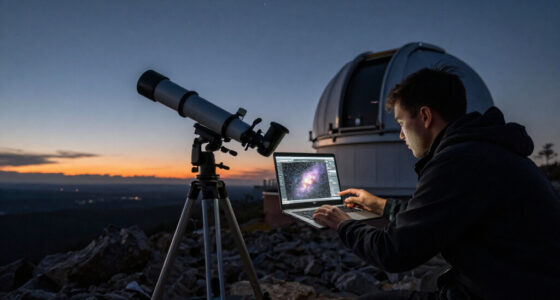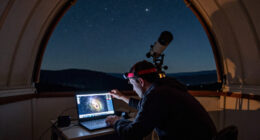
Choosing between PixInsight and Adobe Photoshop is really a choice about where you want the work of astrophotography editing to happen. PixInsight is designed for astronomical data, with tools for calibration, stacking, stretching, color work, and noise management. Photoshop is a general image editor whose layers, masks, selections, and retouching tools make it useful for shaping a finished image. Neither choice guarantees a better result: the quality of the source data and the operator’s decisions still matter.

Prime made for students and young adults
- Fast, free delivery for dorm and study essentials
- Prime Video and Amazon Music included
- Member-only deals

Astrophotography Image Processing Software on 16GB USB Drive for Windows
- ✔ Delivery: 16 GB USB drive with installer
- ✔ Operating system: Windows 10 or 11, 64 bit
- ✔ Memory: 8 GB RAM recommended; larger stacks may benefit from more

Astrophotography Processing Made Easy: A Beginner’s Guide to Editing Deep-Sky Images with Open-Source Software
- ✔ Format: Guide
- ✔ Skill level: Beginner
- ✔ Subject: Deep sky image editing

Astrophotography Software Integration Handbook: N.I.N.A., PHD2, PixInsight, Siril, and Automated Deep-Sky Imaging Workflows
- ✔ Format: Not specified
- ✔ Software named: N.I.N.A., PHD2, PixInsight, and Siril
- ✔ Subject: Automated deep sky imaging workflows
For deep-sky imagers who want detailed control over the processing pipeline, PixInsight is the stronger main editor. It asks more of the user and takes time to learn, but it brings astronomy-specific operations into one environment. Photoshop is the more approachable fit for photographers who already know its layer workflow, want to refine a stacked image, or edit many kinds of photographs. The practical tradeoff is specialist depth and a steeper learning curve versus familiar, flexible finishing tools.
At a Glance
| Criteria | PixInsight | Adobe Photoshop | Winner |
|---|---|---|---|
| Astronomy-specific workflow | Purpose-built environment for astronomical image processing | General photo editor; astronomy workflows depend on imported or externally stacked images | A |
| Calibration and stacking | Supports astronomy-oriented calibration and integration workflows | Can edit the resulting image, but is not a dedicated calibration and stacking environment | A |
| Fine processing control | Extensive process controls and a workflow suited to deliberate, repeatable adjustments | Flexible image adjustments, selections, masks, and retouching | A |
| Layer-based editing | Not centered on Photoshop-style editable layers | Strong editable layer and mask workflow | B |
| Learning curve | Steep; the interface and processing concepts take sustained practice | Moderate for familiar photo editors; astrophotography techniques still need learning | B |
| General photography use | Narrower focus outside astronomy | Broad use for photography, design, and compositing | B |
| Cost and value | Paid specialist software; best value for regular deep-sky processing | Subscription cost buys a versatile editor, especially valuable if already used for other work | Depends |
Astrophotography Image Processing Software on 16GB USB Drive for Windows
For readers who want a tool to process images rather than a book about doing so, this USB installer is the clearest fit in the lineup. Its described workflow extends from calibration, alignment, and stacking to post-stack adjustments such as background extraction, color calibration, deconvolution, and noise reduction. That coverage matters because deep sky processing involves several connected stages; having the operations described together can make a single workflow easier to approach than piecing together unrelated utilities.It also goes beyond basic image enhancement. FITS support, frame quality sorting, rejection algorithms, plate solving, and automation scripts address practical work around selecting and combining exposures, not just polishing a finished picture. Compared with the beginner guide, this option provides software rather than instruction; compared with the integration handbook, its stated capabilities focus more directly on processing. The tradeoff is that buyers should not mistake the bundled installer for a complete learning resource: the supplied details do not describe tutorials or guided lessons.Compatibility is the main gate. It requires a 64 bit Windows 10 or 11 PC, and 8 GB of RAM is recommended, though large image stacks may benefit from more. The USB delivery may suit someone who prefers an included installer, but images, camera equipment, and other imaging hardware are not included. We place it first because it has the most concrete editing coverage, not because the listing establishes how easy every function is to learn.
Pros:
- Covers calibration, alignment, stacking, and image processing
- Supports FITS and common camera formats
- Includes frame sorting, rejection algorithms, and automation scripts
- Lists background extraction, color calibration, deconvolution, and noise reduction
Cons:
- Requires a 64 bit Windows 10 or 11 computer
- Images and astrophotography equipment are not included
- Large image stacks may benefit from more than the recommended 8 GB RAM
Best for: Windows astrophotographers who want a described suite of deep sky and planetary calibration, stacking, and processing tools.
Not ideal for: Mac or Linux users, buyers seeking a book led tutorial, or anyone expecting the drive to include images or imaging equipment.
Bottom line: We recommend this as the most direct processing choice for Windows users because its listed features span capture preparation through image refinement.
“We recommend this as the most direct processing choice for Windows users because its listed features span capture preparation through image refinement.”
Astrophotography Processing Made Easy: A Beginner’s Guide to Editing Deep-Sky Images with Open-Source Software
This guide is the most clearly targeted learning option here. Its subject is editing deep sky astrophotography images, and it is explicitly aimed at beginners using open source software. That focus can help a new imager understand the processing stages and vocabulary behind a finished image, rather than facing a suite of controls without a learning path. Compared with the USB software, it offers the stronger stated emphasis on beginner guidance, but it does not claim to bundle an installer.Its narrow scope is also a useful boundary. Readers trying to improve nebula or galaxy images can prioritize this guide over the integration handbook, whose stated subject spans an automated imaging workflow and several named applications. The guide is part of the Stargazing Astrophotography Guides series, but the available details do not specify chapters, example files, software versions, or the exact programs covered. We should therefore treat it as an instructional resource with a relevant focus, not assume a particular tutorial format or bundled project material.We rank it second because the editing subject and audience are explicit, while the first pick describes software that can perform a wider set of processing operations. If your computer setup is not Windows, this guide may be the more adaptable starting point, since its listed details do not state a platform requirement. Still, readers who want to automate acquisition and guiding will find the handbook more aligned with that wider workflow, and those who simply want an application should choose the USB option.
Pros:
- Explicitly aimed at beginners
- Focuses on deep sky image editing
- Uses open source software as its subject
- Provides a learning oriented alternative to the USB installer
Cons:
- The supplied details do not say that software is included
- Specific programs and software versions are not identified
- Format, example files, and chapter scope are unspecified
Best for: New deep sky imagers who want beginner oriented instruction on editing images with open source software.
Not ideal for: Buyers seeking a supplied processing application, detailed integration across capture tools, or confirmed chapter and software version information.
Bottom line: We choose this for beginners who need a focused introduction to open source deep sky processing more than a bundled editing application.
“We choose this for beginners who need a focused introduction to open source deep sky processing more than a bundled editing application.”
Astrophotography Software Integration Handbook: N.I.N.A., PHD2, PixInsight, Siril, and Automated Deep-Sky Imaging Workflows
This handbook is aimed at a different bottleneck: getting several astrophotography programs to work together. It names N.I.N.A., PHD2, PixInsight, and Siril and focuses on automated deep sky imaging workflows. That breadth may matter when the challenge is coordinating image capture, guiding, and subsequent processing instead of learning one editing program in isolation. Compared with the beginner guide, its stated scope reaches further into the wider imaging chain.For a buyer focused specifically on editing, that wider scope is both its draw and its limitation. PixInsight and Siril point toward processing, while N.I.N.A. and PHD2 are part of a broader capture and guiding workflow; the listing does not explain how much space the handbook gives to editing techniques. The USB software is a more direct option if you want named processing operations such as calibration and stacking, and the beginner guide is more clearly framed as editing instruction. We rank this third because its integration focus is distinct but less precisely described for the editing task.The listing also leaves important buying details open: it does not state the handbook’s format, level, chapter coverage, or whether it includes setup examples. Nor does it say that any of the named software is supplied. For experienced imagers who already know the tools and need a reference to plan automation, this may be the most relevant title. New users should compare its unspecified depth with the beginner guide’s explicit audience before choosing.
Pros:
- Names four commonly associated astrophotography workflow programs
- Focuses on automated deep sky imaging workflows
- Connects capture, guiding, and processing topics in one stated scope
Cons:
- Format and depth are not specified in the supplied details
- The amount of detailed image editing instruction is unclear
- No bundled software or example materials are confirmed
Best for: Astrophotographers already considering N.I.N.A., PHD2, PixInsight, and Siril who want an integration focused workflow reference.
Not ideal for: Readers who want a clearly scoped beginner editing tutorial or a confirmed application installer with stated processing features.
Bottom line: We recommend this for buyers prioritizing coordination across imaging tools, while the other two options make editing instruction or direct processing easier to evaluate.
“We recommend this for buyers prioritizing coordination across imaging tools, while the other two options make editing instruction or direct processing easier to evaluate.”
As an Amazon Associate we earn from qualifying purchases.
Key Differences
The biggest gap appears before an image is ready for final polish. PixInsight is built to work with astronomical data and provides a setting for calibration, integration, and specialized processing. Photoshop generally enters after a stack or processed image has been prepared elsewhere. That split matters most to deep-sky photographers working with many exposures, gradients, faint structures, and noise: PixInsight gives them more astronomy-focused control in one workflow. For a single nightscape or a finished stack that needs careful masking and retouching, Photoshop can be the more direct tool.
Photoshop’s strongest advantage is how easily it supports local, visual edits. Layers and masks let users keep adjustments separate and revise them later, and the same skills apply to ordinary photography. PixInsight offers deep process control, but its interface and methods demand a larger learning investment. As a result, its extra capability pays off for users who process astronomy images often and want to understand each stage. It may be an unnecessary burden for occasional editing. Many experienced imagers use both: PixInsight for astronomy-specific processing, Photoshop for finishing. That combined workflow adds software cost and steps, so it makes sense only when each program solves a real part of the user’s process.
Detailed Comparison
Astronomy-specific workflow (PixInsight wins — major)
PixInsight wins by a major margin for a deep-sky workflow because its processes are built around astronomical imaging tasks. Photoshop can work on astronomy images, but its tools are general-purpose and often assume the image is already prepared. In practice, PixInsight is the more coherent starting point when the goal is to process raw or calibrated telescope data; Photoshop fits better once the image is ready for visual refinement.
Calibration and stacking (PixInsight wins — major)
PixInsight wins by a major margin for calibration and stacking. These tasks involve combining and correcting exposures before final editing, and PixInsight is designed to support that astronomy-oriented pipeline. Photoshop can adjust an image after stacking, but it is not a dedicated substitute for the calibration and integration stage. Choose PixInsight if you want one program to handle more of the data preparation; choose Photoshop if your stack is already made.
Fine processing control (PixInsight wins — moderate)
PixInsight has a moderate-to-major advantage for users who want to tune astronomy-specific operations with detailed parameters and repeatable processes. That control can help with complex data, but it also makes the workflow less intuitive at first. Photoshop gives users accessible visual adjustments and masks, which are often faster for localized finishing. The practical winner depends on whether control of the processing pipeline or speed of visual editing matters more.
Layer-based editing (Adobe Photoshop wins — major)
Photoshop wins by a major margin. Its layers and masks make it straightforward to separate adjustments, compare versions, and revise local edits without collapsing every decision into one result. PixInsight is powerful but does not center its workflow on Photoshop-style layers. If you want to blend treatments, make selective edits, or combine elements in a familiar photo-editor structure, Photoshop is the better fit.
Learning curve (Adobe Photoshop wins — moderate)
Photoshop wins by a moderate margin for most photographers, especially those who already understand layers and masks. PixInsight’s astronomy-specific vocabulary and process-heavy interface take longer to learn. Neither program makes good astrophotography automatic, and Photoshop still requires learning how to handle stretched, noisy, high-dynamic-range images. The difference is that Photoshop skills transfer readily from other photography, while PixInsight asks users to learn a more specialized environment.
General photography use (Adobe Photoshop wins — major)
Photoshop wins by a major margin because it serves many kinds of image editing beyond astronomy. A user can apply the same editor to portraits, landscapes, composites, and design tasks. PixInsight’s value is concentrated in astronomical image processing. If astrophotography is one occasional part of a broader photography practice, Photoshop gives more use outside that niche; regular deep-sky work is the case that makes PixInsight’s specialization pay.
Cost and value (moderate difference)
This is a user-dependent result. PixInsight’s price is easier to justify for a committed deep-sky imager who will use its specialist capabilities repeatedly. Photoshop’s subscription can be better value for someone who already uses Adobe tools or needs a general editor for several kinds of work. Paying for both is reasonable when one handles the astronomy pipeline and the other handles finishing, but it is a poor value if one will sit unused. The best buy is the tool that replaces the most work in your actual workflow.
PixInsight: Pros and Cons
Pros:
- Astronomy-focused processes support a deep-sky workflow from data preparation through image development.
- Offers detailed control that suits users who want to make deliberate, repeatable processing choices.
- Can serve as the central processing environment for users who regularly work with telescope data.
Cons:
- The interface and processing approach take time and practice to learn.
- Its specialist focus offers less value for general photography and design work.
- Users who prefer editable layers and familiar local retouching may find finishing less natural.
Adobe Photoshop: Pros and Cons
Pros:
- Layer and mask editing gives users a flexible way to refine, compare, and revise adjustments.
- Useful for astrophotography finishing as well as general photography and compositing.
- Familiar to many photographers, so existing skills can carry over.
Cons:
- It is not a dedicated environment for astronomy calibration and stacking.
- Users may need another program to prepare exposures before bringing an image into Photoshop.
- A subscription is harder to justify when the user only needs a narrow astronomy-specific workflow.
Who Should Choose What
Choose PixInsight if:
- You regularly process deep-sky images and want astronomy-specific tools in your main workflow.
- You want to control calibration, stacking, and detailed data processing rather than only polish a prepared image.
- You are willing to invest time learning a specialist editor to gain more control over repeated astrophotography work.
Choose Adobe Photoshop if:
- You already use Photoshop and want to finish stacked images with layers, masks, and local adjustments.
- You edit landscapes, portraits, composites, or other photographs alongside astrophotography.
- You value a flexible visual editing workflow more than having calibration and stacking in the same program.
Skip both if: If you are new to astrophotography and mainly need an affordable way to learn basic stacking and processing, compare free astronomy-focused options such as Siril before committing to either paid program.
Value for Money
Paying for PixInsight is worthwhile when astronomy processing is a regular part of your work and its specialized pipeline replaces enough separate steps to justify the learning time and license cost. Its value is not that it makes every image better by default; it gives committed users tools and control aimed at astronomical data. For someone who edits a few night-sky pictures a year, that investment can be difficult to use fully.
Photoshop’s value depends on whether you need it beyond astrophotography. If you already pay for it or use it across several kinds of photography, its layers and finishing tools make it a practical companion for completed stacks. If the only goal is to calibrate and process telescope data, the subscription may not be good value as a standalone purchase. Paying more for both makes sense when PixInsight handles the astronomy stages and Photoshop provides a finishing workflow you actively use; otherwise, start with the one that fits the work you actually do.
Final Verdict
For serious deep-sky processing, choose PixInsight as the stronger primary editor: its astronomy-specific workflow and control address the most demanding stages of the job. Choose Photoshop if your images are already stacked, you want flexible layer-based finishing, or you need one editor for astrophotography and everyday photography. The biggest deciding factor is whether you need to process astronomical data or mainly refine a prepared image. Many experienced users can justify both, but beginners and occasional imagers should avoid paying for a two-program workflow before they know which steps they need.
Frequently Asked Questions
Is PixInsight better than Photoshop for astrophotography?
For deep-sky data processing, PixInsight is generally the stronger choice because its workflow is designed around astronomy-specific tasks. Photoshop is better for flexible layer-based finishing and general image editing. The better fit depends on whether you need to prepare and process data or refine an image that is already stacked.
Can Photoshop stack astrophotography images?
Photoshop can be used to edit astrophotography images, but it is not a dedicated calibration and stacking environment like PixInsight. Many users prepare a stack in astronomy software and bring the result into Photoshop for masks, local adjustments, and finishing.
Do I need both PixInsight and Photoshop?
No. PixInsight can be the main choice for an astronomy-focused processing workflow, while Photoshop can be enough for finishing a stack if you already have a way to prepare it. Both are useful when you regularly need specialist processing and editable layer-based polish, but the extra cost only pays off if you use both stages.
Which is easier for a beginner to learn?
Photoshop is usually more approachable for someone who already edits photos with layers and masks. PixInsight has a steeper learning curve because it uses a specialist environment and astronomy-focused processes. Beginners should choose based on the work they need to do, not ease alone: stacking and data processing call for different tools than finishing a prepared image.