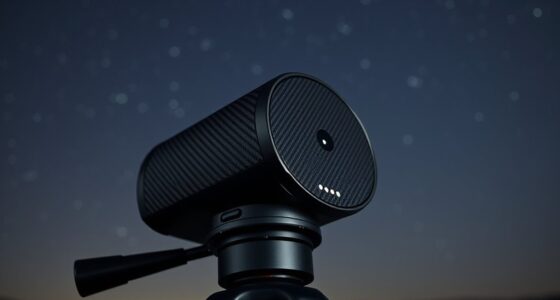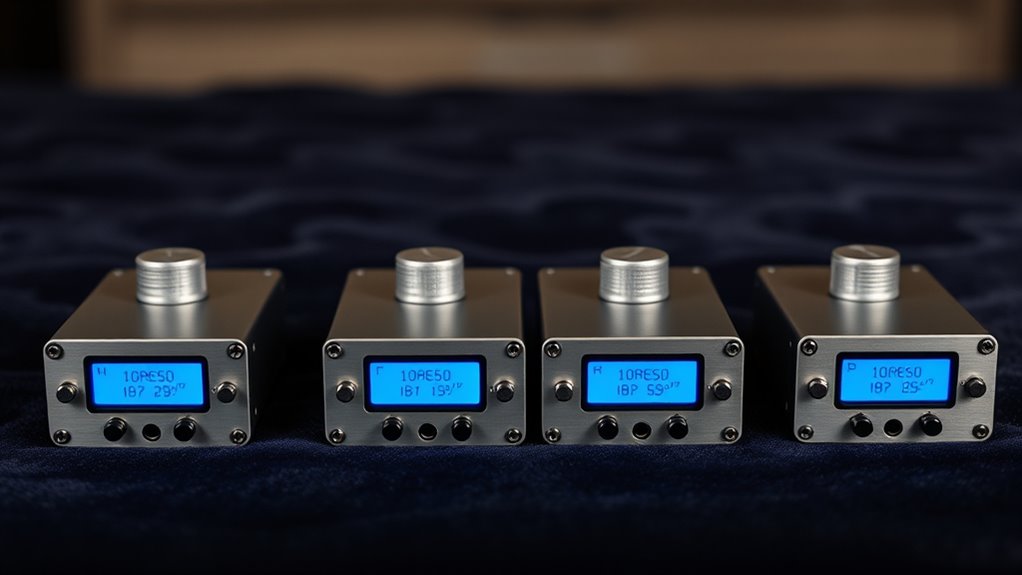

Planetary imaging often means keeping a telescope pointed at one target for an extended session, while moisture slowly gathers on the optics. I would start with the Celestron Smart DewHeater Controller 2X if you use a Celestron hand control or CPWI and want automatic adjustment with a compact two-heater setup. The R-Sky Automatic Dew Controller is the more flexible choice for a rig with several optical accessories, six heater connections, and both automatic and manual power settings.

Prime made for students and young adults
- Fast, free delivery for dorm and study essentials
- Prime Video and Amazon Music included
- Member-only deals
The central tradeoff is connected simplicity versus wider equipment coverage. Celestron’s unit reports conditions through its telescope-control ecosystem and can run two dew heaters plus one 12V device. R-Sky has more heater ports and useful power safeguards, but its stated channel arrangement is less uniform, and warranty and reliability information are not provided. My ranking favors Celestron for a straightforward planetary rig and R-Sky for users who need to heat a more elaborate setup.
Key Takeaways
- Celestron is my overall pick for a Celestron-based planetary setup that needs automatic control of two heaters and telescope-software access to conditions and adjustments.
- R-Sky offers the broader connection layout, with six heater ports arranged as two automatic, two medium, and two full-power outputs.
- A third-party strap or band used with the Celestron controller requires a thermistor accessory; check compatibility before building around it.
- R-Sky suits users with multiple scopes or accessories, but its available product details do not specify warranty coverage or provide reliability history.
- For planetary imaging, match the controller to the optics and power plan: more ports do not automatically mean better temperature control for every device.
| Celestron Smart DewHeater Controller 2X for Telescopes, 2 Ports |  | Best Overall for Celestron Planetary Rigs | Dew heater ports: 2 | Additional device support: One additional 12V DC device | Control method: Automatic temperature and humidity monitoring; manual adjustments through compatible hand control or CPWI | VIEW ON AMAZON | See Our Full Breakdown |
| R-Sky Automatic Dew Controller for Telescopes |  | Best for Multi-Accessory and Dual-Telescope Setups | Heater ports: 6: 2 automatic, 2 medium, and 2 full-power | Control: Automatic and manual output from 0–100% | Supported equipment: Dual telescopes, finders, mirrors, and other accessories | VIEW ON AMAZON | See Our Full Breakdown |
| dew controller for planetary | Dew heater ports | Additional device support | Control method | Automatic operation |
|---|---|---|---|---|
| Celestron Smart DewHeater Cont | 2 | One additional 12V DC device | Automatic temperature and humidity monitoring; manual adjustments through compatible hand control or CPWI | Adjusts heater power in response to ambient conditions |
| R-Sky Automatic Dew Controller | — | — | — | — |
More Details on Our Top Picks
Celestron Smart DewHeater Controller 2X for Telescopes, 2 Ports
For a planetary setup built around Celestron control software or a compatible hand control, this is my clearest all-round recommendation. The controller monitors ambient temperature and humidity and automatically adjusts heater power to help limit dew while conserving battery life. That matters during a long imaging session: the goal is to keep the correct optics warm enough to resist condensation without relying on constant manual changes. The controller also lets you view data and make manual adjustments through supported Celestron controls or CPWI.
Its two dew-heater ports are a sensible match for a focused rig, such as a telescope and finder or two optical surfaces that need protection. It also supports one additional 12V DC device, giving it an edge over a controller that only connects heaters. Compared with R-Sky, however, Celestron is the more selective choice: it has fewer heater ports and does not advertise the same range of fixed output levels or the same listed low-battery and reverse-polarity protections.
Compatibility deserves a check before purchase. Celestron Dew Heater Rings are supported, and third-party bands or straps can be used with a thermistor accessory. That extra requirement may add complexity for someone who already owns non-Celestron heaters. R-Sky is more appealing when you need six connections or straightforward manual power control, but its product information does not offer Celestron’s stated integration with hand controls and CPWI. I would choose this model for a compact, connected Celestron setup rather than a multi-instrument rig.
Pros:- Automatic power adjustment uses ambient temperature and humidity data.
- Two heater ports suit a compact telescope-and-accessory setup.
- Supports one additional 12V DC device.
- Compatible Celestron hand controls and CPWI provide data access and manual adjustment.
Cons:- Only two dew-heater ports are specified, fewer than R-Sky’s six.
- Third-party heater bands or straps require a thermistor accessory.
- The supplied product details do not list a low-battery alert or reverse-polarity protection.
Best for: Planetary observers using a Celestron hand control or CPWI who need automatic regulation for up to two heaters and one additional 12V device.
Not ideal for: Owners of several heater-equipped accessories, or buyers who want to use third-party straps without adding a thermistor accessory.
- Dew heater ports:2
- Additional device support:One additional 12V DC device
- Control method:Automatic temperature and humidity monitoring; manual adjustments through compatible hand control or CPWI
- Automatic operation:Adjusts heater power in response to ambient conditions
- Heater compatibility:Celestron Dew Heater Rings and third-party bands or straps with thermistor accessory
- Software connection:Celestron hand controls and CPWI software
Our verdict“I recommend Celestron for a two-heater planetary rig where automatic control and access through Celestron software matter more than having numerous outputs.”
R-Sky Automatic Dew Controller for Telescopes
R-Sky is the more capable choice when the planetary rig extends beyond a single telescope and a couple of heaters. It provides six heater ports, laid out as two automatic, two medium, and two full-power connections. That mix can support a broader collection of gear, including a second telescope, finders, mirrors, and other accessories. Compared with Celestron’s two heater outputs, R-Sky gives a buyer much more connection capacity and more ways to assign heater output.
The channel layout is also a tradeoff, not an unqualified advantage. R-Sky specifies automatic control for two ports, with the remaining outputs set to medium or full power. A buyer expecting six separately sensor-regulated channels should not assume that from the description. Its manual 0–100% control adds flexibility when you want to set output yourself, while PWM operation is intended to help conserve energy. The controller also lists a low-battery warning at 10.5V and reverse-polarity protection, two practical details not stated for the Celestron model.
The included air sensor, telescope sensors, and power cable make the package’s sensor setup more explicit than the Celestron listing’s description of automatic ambient monitoring. R-Sky is the stronger fit when port count, manual adjustment, and stated power safeguards lead your priorities. Celestron remains the easier recommendation for users already operating through CPWI or Celestron hand controls. I would be cautious if purchase decisions depend on documented long-term dependability or warranty support: the supplied information gives no reliability history and does not specify warranty details.
Pros:- Six heater ports cover more accessories than Celestron’s two-port design.
- Two automatic outputs are complemented by medium and full-power channels.
- Manual output control ranges from 0–100%, with PWM operation described as energy-saving.
- Includes an air sensor, telescope sensors, power cable, low-battery alert, and reverse-polarity protection.
Cons:- The specified channel mix does not indicate that all six ports are individually automatic.
- Warranty details are not specified in the supplied information.
- No customer review or reliability information is provided in the product details.
Best for: Planetary imagers running multiple optical accessories or dual telescopes who want six heater connections, manual output control, and listed battery and polarity safeguards.
Not ideal for: Buyers who need every heater port to be individually automatic, want Celestron hand-control or CPWI integration, or require clearly stated warranty information.
- Heater ports:6: 2 automatic, 2 medium, and 2 full-power
- Control:Automatic and manual output from 0–100%
- Supported equipment:Dual telescopes, finders, mirrors, and other accessories
- Power operation:PWM operation intended to help extend battery life
- Low-battery alert:10.5V, yellow LED indicator
- Protection:Reverse-polarity protection; described as not causing imaging interference
- Included accessories:Air sensor, telescope sensors, and power cable
- Dimensions and weight:5 × 5 × 5 inches; 15 ounces
Our verdict“I would choose R-Sky over Celestron for a larger, accessory-heavy rig, provided its mixed automatic and fixed-output channel layout suits the equipment.”

How We Picked
I ranked these controllers around the demands of a planetary telescope setup: keeping optics clear during a focused observing or imaging session, controlling heater power without unnecessary battery drain, and matching the number of outputs to the actual equipment. I gave weight to automatic operation because it can reduce the need to keep adjusting heaters as conditions change. I also looked at manual control, channel layout, compatibility, available safety features, and how clearly each product’s operating limits are described.
Celestron takes the first position because its ambient temperature and humidity monitoring, automatic adjustment, and access through compatible Celestron hand controls or CPWI make its operating approach especially clear for a Celestron user. Its two heater ports fit a common planetary arrangement, such as a main telescope and finder, while the additional 12V output adds some utility. That narrower port count and the thermistor requirement for third-party straps keep it from being a universal fit.
R-Sky ranks second overall but first for a larger accessory load. Six ports and a mix of automatic, medium, and full-power outputs offer more ways to connect heaters, while manual 0–100% control, a low-battery alert, and reverse-polarity protection address practical field use. I do not rank it ahead of Celestron because the supplied information leaves warranty terms and reliability history unclear, and its channel choices are not described as six independently automatic outputs. These rankings reflect the stated features, not hands-on testing or claims about long-term performance.
Factors to Consider When Choosing Dew Controller For Planetary
For planetary imaging, I would choose a dew controller by the equipment it must protect and the level of intervention I want during a session. A high port count is useful only if the controller’s outputs match the heaters and sensors in the rig.
Count heaters, not just telescopes
List every surface that needs a heater: the main telescope, finder, secondary optical assembly, or other accessory. Then count the actual heater bands or rings, since one telescope can still use more than one connection. Celestron provides two heater ports, enough for a compact planetary system, plus one additional 12V DC device. R-Sky provides six heater ports, making it the better match when several accessories or a second telescope share the controller. Check how each output is controlled before treating extra ports as extra automatic channels.
Choose between automatic and hands-on control
Automatic regulation can make a session easier by adjusting heater power as conditions change. Celestron explicitly bases automatic adjustment on ambient temperature and humidity, and allows manual adjustments through a compatible Celestron hand control or CPWI. R-Sky combines two automatic channels with medium- and full-power channels, plus manual 0–100% control. I would favor Celestron when its software connection fits the rest of the rig; I would favor R-Sky when selecting output yourself or managing more accessories matters more.
Check heater compatibility and sensor requirements
A controller’s connectors and sensors need to match the heaters you already own. Celestron supports its Dew Heater Rings and third-party bands or straps when used with a thermistor accessory. That requirement may affect both the setup and the parts you need. R-Sky lists an air sensor and telescope sensors among the included accessories, but the supplied information does not detail compatibility with particular heater brands or connector types. Confirm those details with the seller or manufacturer before building a system around either controller.
Plan for battery use and field safeguards
Heater output draws from the same power supply as other equipment, so energy management matters during long observing sessions. Both products describe features aimed at moderating power use: Celestron automatically adjusts output based on ambient conditions, while R-Sky describes PWM operation and includes a low-battery indicator at 10.5V. R-Sky also specifies reverse-polarity protection. I would not treat any efficiency feature as a guarantee of a particular runtime; heater demand depends on conditions, connected equipment, and the power source.
Match the controller to your telescope-control workflow
If you already use a compatible Celestron hand control or CPWI, the Smart DewHeater Controller 2X has a clear workflow advantage: data viewing and manual adjustment sit within that control setup. R-Sky’s supplied description focuses on its sensors, output arrangement, and onboard power features rather than Celestron software integration. For a stand-alone rig or one with multiple accessories, that may be a reasonable fit. For a Celestron-centered planetary setup, software compatibility can matter more than unused extra ports.
Account for unclear product information
Product specifications are only part of a buying decision. The R-Sky details provided here do not state warranty terms or offer reliability history, so buyers who need that information should seek it before ordering. The Celestron description names its third-party heater requirement, but buyers should still verify the exact thermistor accessory and heater compatibility for their setup. I would treat clear support and compatibility answers as part of the purchase, especially when a controller will serve several connected optical devices.
Frequently Asked Questions
Which dew controller is better for a basic planetary telescope setup?
I would pick the Celestron Smart DewHeater Controller 2X for a compact setup with up to two heaters, particularly if the telescope is controlled through a compatible Celestron hand control or CPWI. Its automatic temperature and humidity monitoring fits a buyer who wants less manual adjustment. R-Sky is a better match if the setup already needs more than two heater connections or benefits from its mix of automatic and fixed-output channels.
Does the Celestron controller work with third-party heater straps?
The listed compatibility includes third-party heating bands or straps when used with a thermistor accessory. I would check the required accessory and confirm the strap’s compatibility before purchase rather than assuming any third-party heater will connect and operate as expected. Celestron Dew Heater Rings are also listed as compatible.
Does R-Sky automatically control all six heater ports?
The supplied specifications describe six ports as two automatic, two medium, and two full-power. They do not say that all six ports receive independent automatic adjustment. If your setup depends on sensor-based control for every heater, confirm how each channel behaves before choosing R-Sky. Its six-port layout is still useful for connecting more accessories than Celestron’s two-port controller.
Which controller has the clearer battery and polarity safeguards?
R-Sky has the more explicitly listed safeguards: a low-battery alert at 10.5V, a yellow LED indicator, and reverse-polarity protection. Celestron describes automatic adjustment intended to conserve battery life, but the supplied product information does not list the same low-voltage alert or polarity protection. I would compare those stated features without assuming that either controller guarantees a particular battery runtime.
Can either controller support two telescopes for planetary imaging?
R-Sky explicitly lists support for dual telescopes and other optical accessories, with six heater ports divided among automatic, medium, and full-power outputs. Celestron provides two heater ports and one additional 12V DC device connection, so it may suit a limited dual-instrument arrangement only if the heater and accessory needs fit those outputs. Check the number and type of connections needed before choosing either controller for two telescopes.
Conclusion
For most Celestron-based planetary imagers, I recommend the Smart DewHeater Controller 2X. Its automatic temperature and humidity monitoring, two heater ports, extra 12V output, and hand-control or CPWI access make a coherent package for a focused rig. Choose it if two heater connections are enough and you are comfortable with the thermistor requirement for third-party straps.
For multi-accessory users, I recommend R-Sky instead. Its six ports, manual power range, included sensors, low-battery alert, and reverse-polarity protection suit a more crowded equipment layout. Before buying, verify that its two automatic outputs and four medium or full-power outputs match your heating plan, and ask about warranty coverage if that affects your decision. The right choice is the one that fits your heaters and control workflow, not simply the one with more ports.
Halloween Picks

ELAMAS 11ft Animatronic Flying Witch Halloween Decoration

12-Foot Inflatable Pumpkin Halloween Archway with LED Lights

8.5 Foot Halloween Inflatable Haunted House Castle with Skeleton, Ghost & Skulls
As an affiliate, we earn on qualifying purchases.