Telescope planetarium projectors range from star-and-constellation teaching tools to room-filling galaxy lights, so the right choice depends on whether you want astronomy detail, relaxing ambience, or both. I rank the Sega Toys Homestar Flux as the best overall for buyers who prioritize a dedicated home-planetarium experience, while the Smithsonian Optics Room Planetarium stands out for hands-on learning and the Govee Star Projector for flexible nebula effects. The main tradeoff is between a more astronomy-focused projection and colorful effects or extra features such as speakers and night lights. Disc count alone does not tell you how useful or realistic a projector will feel. Read on for the full comparison, selection criteria, and guidance by buyer type.

Prime made for students and young adults
- Fast, free delivery for dorm and study essentials
- Prime Video and Amazon Music included
- Member-only deals
Key Takeaways
- The lineup splits into two clear groups: dedicated planetarium models emphasize star or space projections, while many galaxy projectors lean toward colorful room ambience.
- The Homestar Flux is the strongest overall fit for a planetarium-first buyer; the Smithsonian and Thames & Kosmos options make more sense when learning and guided exploration matter.
- Disc variety is useful only when the images suit your goal: more films can add subject variety, but do not automatically mean more accurate astronomy or easier operation.
- Rotation, color effects, timers, and speakers favor mood lighting and convenience; they are less meaningful to buyers who mainly want a clear, focused sky projection.
- The best choice depends on the room and audience: science kits suit shared learning, while the Govee and multi-scene galaxy models better match buyers seeking adaptable bedroom effects.
| Galaxy Projector Pro with 13 Planetarium Films and 360° Rotation |  | Best for Variety of Celestial Films | Film discs: 13 | Projection distance: Up to 3 m | Projection area: Up to 135 sq ft | VIEW LATEST PRICE | See Our Full Breakdown |
| Galaxy Planetarium Projector with 10 Film Discs and 7-Color Night Light |  | Best for a Combined Night Light | Film discs: 10 | Projection distance: 6.56–9.84 ft | Projection area: 135.19–255.64 sq ft | VIEW LATEST PRICE | See Our Full Breakdown |
| Sega Toys Homestar Flux Home Planetarium Star Projector, Satin Black |  | Best for Star-Field Detail | Projection: Up to 60,000 stars | Light source: 5-watt warm white LED | Lens: Multilevel glass lenses | VIEW LATEST PRICE | See Our Full Breakdown |
| 3D Galaxy Projector with Bluetooth Speaker and 60 Scenes |  | Best for Multimedia Variety | Scenes: 60 moving scenes | Bluetooth: Bluetooth 5.3 | Brightness: 5 levels, 10%–100% | VIEW LATEST PRICE | See Our Full Breakdown |
| Brainstorm Toys Deep Space Home Planetarium and Projector |  | Best for NASA and Hubble Images | Image collection: 24 color NASA and Hubble images | Slide discs: 3 interchangeable discs with 8 images each | Image size: 50–100 cm | VIEW LATEST PRICE | See Our Full Breakdown |
| Smithsonian Optics Room Planetarium and Dual Projector Science Kit |  | Best for Hands-On Learning | Brand: Smithsonian | Model: 52331 | Age range: 8–15 years | VIEW LATEST PRICE | See Our Full Breakdown |
| Galaxy Projector Pro with 13 Space Discs |  | Best for Adjustable Room Coverage | Projection scenes: 13 space slides | Maximum throw distance: 16.4 feet | Recommended viewing distance: Up to 9.84 feet | VIEW LATEST PRICE | See Our Full Breakdown |
| Govee Star Projector with 7-Zone Nebula Effects |  | Best for Smart Ambient Lighting | Brand and model: Govee H6095 | Light source: LED | Power: Corded electric, 120 V | VIEW LATEST PRICE | See Our Full Breakdown |
| 13-in-1 Galaxy Projector Night Light, White |  | Best Compact Pick | Projection scenes: 13 | Dimensions: 5.7 × 5.7 × 4.33 inches | Weight: 1.2 lb | VIEW LATEST PRICE | See Our Full Breakdown |
| Galaxy Projector Pro, 13-in-1 Planetarium Star Projector with 360° Rotation and Timer |  | Best for Simple Timed Sessions | Projection discs: 13 | Rotation: 360 degrees | Projection distance: 1.5–16 feet; stated optimal distance is 9.84 feet | VIEW LATEST PRICE | See Our Full Breakdown |
| FlyLily 13-in-1 Galaxy Projector with 360° Rotation |  | Best for Flexible Room Coverage | Display scenarios: 13 | Projection distance: Up to 16.4 ft; optimal distance 9.84 ft | Coverage area: 135–754 sq ft | VIEW LATEST PRICE | See Our Full Breakdown |
| Thames & Kosmos Planetarium Projector |  | Best for Learning the Night Sky | Age range: 8 years and up | Projectors: 2 | Image disks: 4 | VIEW LATEST PRICE | See Our Full Breakdown |
| Galaxy Starry Sky Projector and Night Light with 12 Projection Films |  | Best for a Dual-Purpose Bedside Light | Brand: B DyBoHF | Model: Gsp-nl-001 | Lighting modes: Star projection and color-changing night light | VIEW LATEST PRICE | See Our Full Breakdown |
| telescope planetarium projector | Rotation | Projection distance | Power |
|---|---|---|---|
| Galaxy Projector Pro with 13 P | 360° adjustable stand | Up to 3 m | — |
| Galaxy Planetarium Projector w | 360° projection angle; 3 image rotation speeds | 6.56–9.84 ft | — |
| Sega Toys Homestar Flux Home P | — | 4 ft 7 in to 8 ft 10 in | Corded electric; USB cable; 110 volts |
| 3D Galaxy Projector with Bluet | — | 3–5 m | — |
| Brainstorm Toys Deep Space Hom | — | — | — |
| Smithsonian Optics Room Planet | Motorized 360-degree rotation | — | Batteries not included |
| Galaxy Projector Pro with 13 S | 360 degrees, two speeds | — | USB-C; 5V/2A adapter required and not included |
| Govee Star Projector with 7-Zo | — | — | Corded electric, 120 V |
| 13-in-1 Galaxy Projector Night | 360 degrees, two speeds | Up to 16.4 feet; 9.84 feet or less recommended | USB-C, 5 V / 2 A; adapter not included |
| Galaxy Projector Pro | 360 degrees | 1.5–16 feet; stated optimal distance is 9.84 feet | Corded electric, USB-powered |
| FlyLily 13-in-1 Galaxy Project | 360°; 2 speeds | Up to 16.4 ft; optimal distance 9.84 ft | — |
| Thames & Kosmos Planetarium Pr | — | — | USB-C |
| Galaxy Starry Sky Projector an | 360 degrees | — | — |
More Details on Our Top Picks
Galaxy Projector Pro with 13 Planetarium Films and 360° Rotation
For buyers who want a range of recognizable space subjects, this projector’s 13 interchangeable films give it more variety than the Galaxy Planetarium Projector with 10 Film Discs. Its 360° adjustable stand helps aim those images at a ceiling or wall, while adjustable focus gives you a way to sharpen the projection as you change the distance. The stated reach is up to 3 meters, making it a flexible bedroom option rather than a dedicated astronomy instrument. A 1- or 2-hour timer also suits bedtime routines. The tradeoff is manual disc swapping: changing subjects is less immediate than cycling through the 60 scenes on the 3D Galaxy Projector. I’d choose this model for film-based celestial variety, not hands-free scene changes or telescope-level sky study.
Pros:- Thirteen interchangeable films cover subjects including the Solar System, Milky Way, and Moon.
- Adjustable focus and a 360° stand make ceiling and wall aiming more flexible.
- Projects up to 3 meters, offering useful placement options in a bedroom.
- One- and two-hour auto-off settings suit bedtime use.
Cons:- Changing subjects requires manually switching film sheets.
- The listed push-button controls do not offer app or remote operation.
- Its film-based subjects are less varied in motion and theme than the 60-scene 3D Galaxy Projector.
Best for: Families and space-curious children who want several distinct celestial subjects to rotate through at bedtime.
Not ideal for: Buyers who want instant electronic scene changes or a projector designed for detailed, astronomy-focused observation.
- Film discs:13
- Projection distance:Up to 3 m
- Projection area:Up to 135 sq ft
- Rotation:360° adjustable stand
- Focus:Adjustable
- Auto-off timer:1 or 2 hours
- Connectivity:USB
- Display type and resolution:LCoS; 3840 × 2160 native and maximum display resolution
Our verdict“Choose it if you want a broad selection of physical celestial films and can accept manual changes between scenes.”
Galaxy Planetarium Projector with 10 Film Discs and 7-Color Night Light
This model combines a 10-disc space projector with a customizable seven-color night light, giving it a more bedtime-oriented role than the star-focused Sega Toys Homestar Flux. Three rotation speeds let you change the movement without changing discs, and its quiet-operation design and auto-off timer suit a shared or child’s bedroom. The adjustable focus is helpful, but it remains a manual adjustment rather than an automatic image correction. Its stated projection distance of 6.56–9.84 feet puts placement within a fairly specific range, so it is less flexible for unusually large rooms than the Galaxy Projector Pro with 13 Planetarium Films, which lists a reach up to 3 meters. I’d pick this for ambient color and simple space imagery; buyers seeking precise, high-detail star maps should look to a dedicated star projector instead.
Pros:- Ten replaceable film discs provide multiple space-themed scenes.
- Seven-color night light adds a separate ambient-lighting option.
- Three image rotation speeds allow some control over scene movement.
- Quiet-operation design and auto-off timer fit nighttime use.
Cons:- The listed projection distance is limited to 6.56–9.84 feet.
- Focus must be adjusted manually to sharpen the image.
- Film-based scenes offer less variety in motion and subject matter than the 3D Galaxy Projector’s 60 moving scenes.
Best for: Parents or bedroom users who want replaceable space scenes, gentle color lighting, and a timer in one tabletop unit.
Not ideal for: Buyers with rooms that need a longer projection throw or anyone seeking detailed star-field astronomy rather than ambient imagery.
- Film discs:10
- Projection distance:6.56–9.84 ft
- Projection area:135.19–255.64 sq ft
- Night light:7-color gradient with adjustable LED modes
- Rotation:360° projection angle; 3 image rotation speeds
- Focus:Adjustable
- Light source:LED
- Included:Projector, 10 film discs, Type-C cable, user manual
Our verdict“Pick this for a compact bedroom setup where colorful night lighting matters as much as replaceable space projections.”
Sega Toys Homestar Flux Home Planetarium Star Projector, Satin Black
The Homestar Flux takes the most astronomy-oriented approach in this group: it projects up to 60,000 stars through multilevel glass lenses, rather than relying on a broad collection of themed films or ambient scenes. That makes it a better fit for buyers who want a star field as the main event. Compared with the Brainstorm Toys Deep Space Home Planetarium, which pairs star patterns with NASA and Hubble photographs, the Flux concentrates on stars and includes a shooting-star effect. It comes with two discs, but additional discs are sold separately, so its subject variety depends on later additions. Its projection range is also specified at 4 ft 7 in to 8 ft 10 in, and it needs a power source. I’d favor it for focused ceiling stargazing, not for families seeking lots of scenes or a self-contained night-light projector.
Pros:- Projects up to 60,000 stars using multilevel glass lenses.
- Adjustable focus and projection angle help tailor the image to the room.
- Quiet disc rotation and a shooting-star effect add movement without changing the star-focused format.
- Includes two star discs, a USB cable, and a wall plug.
Cons:- Only two discs are included; additional star and scenic discs are sold separately.
- Requires a power source, limiting where it can be placed.
- Its star-focused presentation offers less subject variety than the 13-film Galaxy Projector Pro.
Best for: Adults and astronomy-minded households who prioritize a dense star field, adjustable aiming, and a dedicated planetarium feel.
Not ideal for: Buyers who want many included subjects, colorful themed scenes, or a projector that works without access to power.
- Projection:Up to 60,000 stars
- Light source:5-watt warm white LED
- Lens:Multilevel glass lenses
- Included discs:Two star discs
- Projection distance:4 ft 7 in to 8 ft 10 in
- Power:Corded electric; USB cable; 110 volts
- Dimensions:7.5 × 7.5 × 9 inches
- Features:Quiet disc rotation, shooting-star function, adjustable focus and projection angle, timer
Our verdict“Choose the Homestar Flux when star-field detail matters more than a large included library of varied scenes.”
3D Galaxy Projector with Bluetooth Speaker and 60 Scenes
Unlike the film-disc projectors in this roundup, this model offers 60 moving scenes spanning stars, planets, nature, and landscapes. Its Bluetooth 5.3 speaker, built-in sounds, app, and remote make it the most entertainment-focused option here; the Homestar Flux is a stronger match when the priority is a dedicated, detailed star field. The 3D Galaxy Projector also offers five brightness levels, adjustable focus, and a 270° tilt, so users can tune the display and aim it across a room. That flexibility comes with setup tradeoffs: best viewing calls for a dim room and smooth surface, remote control needs a clear line of sight from 4–5 meters, and unplugging resets light and volume settings. I’d choose it for varied ambient projections and audio, not for a traditional, star-map-style planetarium.
Pros:- Sixty moving scenes span space imagery and non-astronomy themes.
- Built-in ambience and Bluetooth 5.3 audio add sound without a separate speaker.
- App and remote controls offer more adjustment options than the push-button Galaxy Projector Pro.
- Focus, brightness, tilt, and sleep timer can be adjusted for different rooms and routines.
Cons:- Best viewing requires a dim room and a smooth projection surface.
- Remote operation requires a 4–5 m line of sight.
- Unplugging resets the light and volume settings.
Best for: Households that want changing ambient scenes, built-in sound, and Bluetooth playback from one room projector.
Not ideal for: Astronomy enthusiasts seeking a focused star-field display, or users who need settings to persist after unplugging the device.
- Scenes:60 moving scenes
- Bluetooth:Bluetooth 5.3
- Brightness:5 levels, 10%–100%
- Projection distance:3–5 m
- Image coverage:15–60 m²
- Aiming:270° manual tilt with horizontal base rotation
- Timer:1, 2, or 4 hours
- Controls and audio:App and remote; built-in ambience, white noise, relaxing music, and Bluetooth speaker
Our verdict“Choose this for a feature-rich ambient projector with audio and scene variety, rather than a conventional star-focused planetarium.”
Brainstorm Toys Deep Space Home Planetarium and Projector
The Deep Space projector stands apart by combining rotating star and constellation patterns with 24 color NASA and Hubble photographs. That educational mix gives it a different purpose from the Sega Toys Homestar Flux, which is more focused on a dense star field, and the Galaxy Projector Pro, which supplies more interchangeable celestial films. Here, three discs hold eight photographs each, while adjustable focus and a maximum image size of 100 centimeters make it suited to a desk or bedroom wall. The projector can also function as a rotating night light, and online content adds information about the images. Its main limitation is room lighting: the description says it works best in darkness, so it is not the pick for bright rooms or large-scale displays. I’d choose it for younger learners who value recognizable space photographs alongside star patterns.
Pros:- Includes 24 color NASA and Hubble images across three slide discs.
- Adds rotating star and constellation patterns to the photographic slides.
- Adjustable focus supports images from 50 to 100 centimeters.
- Can also be used as a rotating night light, with online information about the images.
Cons:- Best viewing is in a dark room.
- Maximum image size is 100 centimeters, smaller than the room-filling coverage listed for some other options.
- Three discs provide less subject variety than the 10- and 13-disc Galaxy Projectors.
Best for: Children and families who want NASA and Hubble imagery, basic constellation patterns, and educational material in a desktop projector.
Not ideal for: Buyers who need bright-room viewing, a large projection image, or a large selection of interchangeable film subjects.
- Image collection:24 color NASA and Hubble images
- Slide discs:3 interchangeable discs with 8 images each
- Image size:50–100 cm
- Maximum throw distance:3 m
- Connectivity:USB
- Form and mounting:Desktop; tripod mount
- Display:LCD; maximum display resolution 1920 × 1080
- Brightness and light life:500 lumen; 5,000-hour light-source operating life
Our verdict“Pick this desktop model for child-friendly NASA and Hubble photographs paired with simple star and constellation projections.”
Smithsonian Optics Room Planetarium and Dual Projector Science Kit
I’d choose the Smithsonian Optics Room Planetarium for a child who wants more than a changing ceiling light. Its two projection modes pair a rotating Northern Sky pattern with 24 space images, giving it a more explicitly educational feel than the scene-based Galaxy Projector Pro with 13 Space Discs. Four changeable discs let kids explore different subjects, while the 360-degree motorized rotation adds movement without requiring them to steer the projection by hand. The auto-shutoff timer and nightlight function also suit a bedroom routine. The tradeoff is that it’s designed for ages 8–15 rather than adults seeking a realistic astronomy display, and batteries are not included. I’d also factor in the lack of a manufacturer warranty, unlike a product with stated warranty coverage such as the Govee Star Projector.
Pros:- Combines a rotating Northern Sky star pattern with 24 space images.
- Four changeable slide discs support variety in viewing and learning.
- Motorized 360-degree rotation adds motion without manual adjustment.
- Auto-shutoff timer and nightlight function suit bedtime use.
Cons:- Batteries are not included.
- No manufacturer warranty is provided.
- Its child-focused educational presentation may not satisfy adults seeking a realistic planetarium display.
Best for: Families with children ages 8–15 who want a space-themed STEM activity that also works as a bedroom nightlight.
Not ideal for: Adults seeking a detailed, astronomy-focused star map or buyers who prefer USB or wall-powered operation over batteries.
- Brand:Smithsonian
- Model:52331
- Age range:8–15 years
- Projection:Northern Sky star pattern and 24 HD space images
- Included discs:4 changeable slide discs
- Rotation:Motorized 360-degree rotation
- Dimensions:10 × 7 × 10 inches
- Power:Batteries not included
Our verdict“Choose this for a school-age space fan who will use the educational image discs, but skip it if you want an adult-focused star projector or included power accessories.”
Galaxy Projector Pro with 13 Space Discs
The Galaxy Projector Pro with 13 Space Discs is the strongest fit here for buyers who want control over how a projection fills a room. Its adjustable focus, two rotation speeds, and stated coverage of 135–754 square feet offer more setup flexibility than the compact 13-in-1 Galaxy Projector Night Light, which shares a similar scene count and coverage range. The 13 slides include brief introductions, giving it a small educational advantage over a purely ambient projector. It can project as far as 16.4 feet, though the recommended viewing distance is shorter, up to 9.84 feet. That makes room size and placement part of the decision, not an afterthought. The image is best in a dark room, and the 5V/2A power adapter is not included, so the USB-C cable alone may not be enough to start using it.
Pros:- Adjustable focus helps tune the image for different projection distances.
- Two rotation speeds provide a choice between slower movement and faster motion.
- Thirteen space slides include brief introductions.
- Timer offers 1-, 2-, and 4-hour shutoff options.
Cons:- The required 5V/2A power adapter is not included.
- Projection clarity depends on a dark environment.
- The recommended viewing distance is shorter than the maximum throw distance.
Best for: Buyers who want adjustable focus, multiple rotation speeds, and broad room coverage for a bedroom or playroom.
Not ideal for: People who need a ready-to-use projector with a power adapter in the box or expect clear images in a bright room.
- Projection scenes:13 space slides
- Maximum throw distance:16.4 feet
- Recommended viewing distance:Up to 9.84 feet
- Projection coverage:135–754 sq. ft.
- Rotation:360 degrees, two speeds
- Timer:1, 2, or 4 hours
- Focus:Adjustable
- Power:USB-C; 5V/2A adapter required and not included
Our verdict“Pick this when focus and room coverage matter more than out-of-box power convenience; the 13-in-1 Galaxy Projector Night Light is a similar alternative if you prefer a smaller unit.”
Govee Star Projector with 7-Zone Nebula Effects
I’d rank the Govee Star Projector for smart ambient lighting rather than astronomy lessons. Its seven lighting zones and more than 50 scenes let buyers shape moving star and nebula effects, while Matter, Alexa, and Google Assistant support make it the most connected option in this group. That’s a different proposition from the Smithsonian Optics Room Planetarium, which uses image discs and a Northern Sky pattern to give children specific space subjects to explore. Govee instead covers up to 540 square feet and adds 18 white-noise options and a sleep timer for bedroom use. The compromise is that its effects are customizable lighting, not a set of astronomy slides. It also needs a corded power connection, so it is less flexible to place than a portable USB-C projector such as the Galaxy Projector Pro with 13 Space Discs.
Pros:- Seven lighting zones allow effects to be customized across the projection.
- Compatible with Matter, Alexa, and Google Assistant.
- More than 50 lighting scenes and 18 white-noise options support varied bedroom use.
- Sleep timer and quiet operation suit nighttime use.
Cons:- Requires a corded power connection.
- Ambient star and nebula effects do not replace astronomy slide images for educational viewing.
- Its listed coverage is up to 540 square feet, below the maximum coverage stated for the 13-disc projectors in this roundup.
Best for: Smart-home users who want customizable nebula and star effects, voice control, and sleep sounds in a bedroom.
Not ideal for: Buyers seeking labeled astronomy scenes, a traditional planetarium disc system, or a projector they can place without access to an outlet.
- Brand and model:Govee H6095
- Light source:LED
- Power:Corded electric, 120 V
- Wattage:10 W
- Coverage:Up to 540 sq. ft.
- Lighting zones:7
- Scene modes:More than 50
- Smart home compatibility:Matter, Alexa, Google Assistant
- Warranty:12 months
Our verdict“Choose Govee for voice-controlled mood lighting and sleep sounds, not for a disc-based planetarium or astronomy lesson.”
13-in-1 Galaxy Projector Night Light, White
At 5.7 × 5.7 × 4.33 inches and 1.2 pounds, this is the most clearly compact choice among the three 13-scene USB projectors in this batch. It still offers adjustable focus, 360-degree rotation, two speeds, and a stated coverage range of 135–754 square feet, so its smaller body doesn’t mean giving up the basic placement controls found on the Galaxy Projector Pro with 13 Space Discs. The 13 astronomy scenes and timer settings make it a straightforward bedroom option, while the included cable and cleaning cloth cover a couple of useful accessories. Compared with that Pro model, the core feature set is close; the standout difference is this projector’s specified size and weight. It shares the main tradeoffs, though: the power adapter is not included, and bright rooms can reduce image clarity.
Pros:- Compact 5.7 × 5.7 × 4.33-inch body weighs 1.2 pounds.
- Thirteen projection discs cover astronomy-themed scenes.
- Adjustable focus and 360-degree rotation help with room placement.
- Two speeds and 1-, 2-, and 4-hour shutoff options support bedroom use.
Cons:- USB-C power adapter is not included.
- Bright rooms can reduce projection clarity.
- Its listed size and weight are still not as small as a simple nightlight.
Best for: People with limited bedside or shelf space who want a small USB-C projector with 13 astronomy scenes and adjustable focus.
Not ideal for: Buyers who need a power adapter included or plan to project in a bright room.
- Projection scenes:13
- Dimensions:5.7 × 5.7 × 4.33 inches
- Weight:1.2 lb
- Projection distance:Up to 16.4 feet; 9.84 feet or less recommended
- Coverage area:135–754 sq. ft.
- Rotation:360 degrees, two speeds
- Timer:1 hour, 2 hours, or default 4-hour auto-off
- Power:USB-C, 5 V / 2 A; adapter not included
Our verdict“Choose this compact projector when bedside size matters and you already have a suitable USB-C power adapter.”
Galaxy Projector Pro, 13-in-1 Planetarium Star Projector with 360° Rotation and Timer
This Galaxy Projector Pro makes the most sense for buyers who want a familiar 13-scene disc projector with straightforward shutoff controls. It covers walls, floors, or ceilings, rotates through 360 degrees, and offers 1- and 2-hour timers plus a 4-hour automatic shutoff. That timer setup is more explicit than the 13-in-1 Galaxy Projector Night Light’s listed default 4-hour auto-off, though the latter has two rotation speeds and a specified smaller footprint. This Pro model is USB-powered and includes a USB-C cable, but no adapter is listed, so buyers may need a separate power source. Its 13-watt rating is also higher than the 10-watt figures given for the other two 13-scene options in this batch. As with those alternatives, it works best in a dark room, and users must place the discs and adjust focus by hand.
Pros:- Thirteen discs cover subjects including the solar system, constellations, galaxies, and nebulae.
- 360-degree rotation supports projection onto walls, floors, and ceilings.
- 1- and 2-hour timers are paired with a 4-hour automatic shutoff.
- USB-powered design offers flexible power-source options when a compatible adapter is available.
Cons:- A dark indoor environment is recommended for projection.
- Disc placement and focus adjustment require manual setup.
- The included accessories list names a USB-C cable and manual but not a power adapter.
Best for: People who want 13 celestial scenes and timed bedroom sessions, and are comfortable setting focus and changing discs manually.
Not ideal for: Buyers who want automatic scene changes, a supplied power adapter, or clear projections in rooms with substantial ambient light.
- Projection discs:13
- Rotation:360 degrees
- Projection distance:1.5–16 feet; stated optimal distance is 9.84 feet
- Projection area:135–754 sq. ft.
- Power:Corded electric, USB-powered
- Wattage:13 W
- Light source:LED
- Timer:1 or 2 hours, with 4-hour automatic shutoff
- Included accessories:USB-C cable and user manual
Our verdict“Pick this model for straightforward timed viewing with 13 celestial discs, but choose the compact 13-in-1 Galaxy Projector Night Light if smaller dimensions and two rotation speeds matter more.”
FlyLily 13-in-1 Galaxy Projector with 360° Rotation
The FlyLily is a good fit when you want a varied space-themed display that can reach more than one surface. Its 13 projection scenes include constellations, the solar system, nebulae, and aurora, while adjustable focus helps sharpen the image as you change the projection distance. The stated coverage range and two 360° rotation speeds offer more room-filling flexibility than the tabletop-focused Galaxy Starry Sky Projector and Night Light with 12 Projection Films. Its quiet operation and selectable shutoff timer also suit bedtime use. The tradeoff is that it needs a USB power connection, so placement depends on access to power, and rotation is limited to two speeds. Choose it for broader scene variety and adjustable projection; skip it if you want a battery-powered projector or more precise motion control.
Pros:- 13 scenes cover subjects from constellations to nebulae and aurora
- Adjustable focus supports projection at different distances
- 360° rotation offers two speed choices
- Quiet operation and 1-, 2-, or 4-hour auto-off options suit bedroom use
Cons:- Requires a USB power connection, limiting placement away from an outlet or power bank
- Only two rotation speeds are available
Best for: Families who want multiple space scenes projected across a bedroom ceiling, wall, or floor and can place the unit near USB power.
Not ideal for: Buyers who need cordless placement or finely adjustable rotation, since it requires USB power and offers only two rotation speeds.
- Display scenarios:13
- Projection distance:Up to 16.4 ft; optimal distance 9.84 ft
- Coverage area:135–754 sq ft
- Rotation:360°; 2 speeds
- Timer:1 hour, 2 hours, or 4-hour default auto-off
- Power source:USB-powered, corded electric
- Weight:1.4 lbs
- Included:Projector, 13 film discs (one built in), USB-C cable, user manual
Our verdict“Choose the FlyLily if you want a broad selection of space scenes and adjustable room coverage, and can keep it connected to USB power.”
Thames & Kosmos Planetarium Projector
The Thames & Kosmos Planetarium Projector puts astronomical orientation ahead of decorative effects. Its dual projectors cast star maps for both hemispheres, making it the more education-oriented pick beside the FlyLily, whose 13 scenes span broader space imagery but are not described as hemisphere-specific maps. Four additional image disks add variety, while the two included star maps and color poster support guided exploration for school-age learners. Tabletop placement or wall hanging gives it more setup flexibility than a projector designed only for a tabletop. Its shorter 15-, 30-, or 60-minute shutoff options and dim nightlight mode are suited to bedtime routines. The tradeoff is a smaller selection of image disks than the FlyLily’s scene collection, and the product data does not specify projection distance, coverage, or rotation speeds.
Pros:- Dual projectors provide star maps for both hemispheres
- Four image disks add space-themed images beyond the star maps
- Can sit on a tabletop or hang on a wall
- Dim nightlight mode has 15-, 30-, and 60-minute auto-off settings
Cons:- Four image disks offer fewer listed image options than the FlyLily’s 13 scenes
- Timer choices stop at 60 minutes, shorter than the FlyLily’s longest setting
- Product details do not state projection distance or coverage area
Best for: Children aged 8 and up, or families who want to explore recognizable star maps for both hemispheres alongside space images.
Not ideal for: Buyers seeking a large stated scene library, detailed projection-range guidance, or long auto-off intervals; the listed set has four image disks and timers up to 60 minutes.
- Age range:8 years and up
- Projectors:2
- Image disks:4
- Power:USB-C
- Auto-off timer:15, 30, or 60 minutes
- Placement:Tabletop or wall-hung
- Included components:Pre-assembled projector, USB-C power cord, 2 star maps, 4 image disks, color poster
Our verdict“Pick Thames & Kosmos for a child-friendly introduction to hemisphere star maps rather than a projector focused on a larger variety of atmospheric scenes.”
Galaxy Starry Sky Projector and Night Light with 12 Projection Films
This Galaxy Starry Sky Projector makes the most sense when a bedroom needs both projected patterns and a separate-feeling ambient light mode. Its 12 projection films and adjustable brightness provide a choice between a moving star display and a color-changing night light, a combination the FlyLily does not list. The compact tabletop design and USB power make it convenient for a bedside surface or other small setup. Compared with the Thames & Kosmos projector, this model favors bedroom atmosphere over astronomy learning: its listing does not describe hemisphere star maps or educational materials. That focus comes with missing practical details, including projection distance and a timer, and the stated dimensions are unusually small, so buyers should check fit and placement expectations. It is not waterproof, which rules out damp locations.
Pros:- Combines star projection with a color-changing night-light mode
- Includes 12 projection films
- 360° rotation and adjustable brightness allow changes to the display
- USB power supports convenient tabletop placement
Cons:- No projection distance, coverage area, or auto-off timer is listed
- Not waterproof, so it is unsuitable for damp locations
- The listed dimensions are unusually small and may not clarify the unit’s full footprint
Best for: Buyers furnishing a child’s bedside table who want a USB-powered projector that can also serve as a color-changing night light.
Not ideal for: Families looking for accurate star maps, a documented projection range, or a projector for bathrooms or other damp spaces.
- Brand:B DyBoHF
- Model:Gsp-nl-001
- Lighting modes:Star projection and color-changing night light
- Projection films:12
- Rotation:360 degrees
- Brightness:Adjustable
- Power and wattage:USB; 5 watts
- Mounting type:Tabletop
- Waterproof:No
Our verdict“Choose this model for a compact bedside light with two lighting modes, not for educational star maps or clearly documented room coverage.”
How We Picked
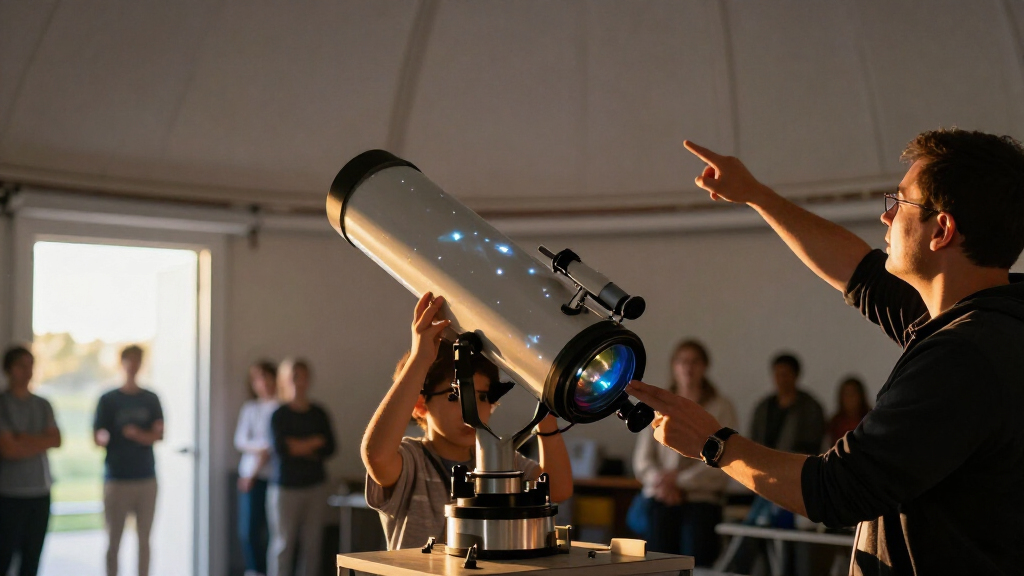
I compared these 13 products as home planetarium and sky-effect projectors, not as telescopes for observing celestial objects. The key criteria were the apparent purpose of the projection, the variety and usefulness of included films or scenes, ease of setup and everyday controls, and whether added features such as rotation, color lighting, timers, or speakers serve a clear buyer need. I also considered suitability for different settings: astronomy learning, family activities, bedtime use, and general room ambience.
The ranking gives priority to a convincing planetarium role and practical usability, then weighs versatility and audience fit. That places the Homestar Flux ahead for buyers seeking a dedicated home-planetarium experience, while the Smithsonian Optics and Thames & Kosmos earn their place through educational appeal. Models centered on multicolor effects or bundled features remain useful, but rank lower for this specific search because ambience features are not the same as astronomy-focused projection. Product names and listed features do not establish projection sharpness, scientific accuracy, or room coverage, so I avoid treating them as proven performance claims.
Factors to Consider When Choosing Telescope Planetarium Projectors
Before choosing, decide what you want the projector to do on an ordinary evening. A projector can suggest a star-filled sky, create a colored bedroom effect, or support a learning activity, but those goals call for different features. These broader checks help distinguish useful capabilities from extras that may not matter in your room.
Choose Astronomy Content or Galaxy Ambience
Start by deciding whether you want a planetarium-style display or a decorative galaxy effect. A model with interchangeable space films may suit someone who wants to explore different celestial subjects, while multicolor nebula scenes are geared more toward changing a room’s mood. These visual styles are not interchangeable: a dramatic colored cloud effect may look appealing without showing a recognizable sky. A common mistake is choosing by the word “planetarium” in a listing without checking what the projection actually depicts. Match the content to the activity—learning, winding down, or decorating—before comparing secondary features.
Look Beyond the Number of Discs or Scenes
A large film or scene count can offer variety, but the count alone says little about image quality, subject depth, or how often you will change projections. Check whether the included content is clearly identified and whether replacements or additional films are available if you later want more variety. Buyers who prefer a simple bedtime routine may get more value from a smaller, easy-to-use set than from a large collection they rarely browse. For teaching or family use, consider whether the content supports repeated exploration rather than just novelty. Avoid assuming that more included discs mean a more accurate or detailed astronomy experience.
Check the Room, Placement, and Projection Surface
Room size, ceiling height, wall color, and ambient light all affect how a projection appears. A projector placed too close to a surface may show a smaller area, while a distant placement may soften the image; the useful range depends on the device’s optics. Darker rooms generally make projected effects easier to see, so a bright night light or other lighting can compete with the image. Before buying, consider where the unit can sit and whether the ceiling or wall offers a clear, unobstructed surface. Do not rely on promotional room scenes alone as proof that a projector will cover your particular space.
Treat Rotation, Color, and Timers as Convenience Features
Rotation can make a scene feel more dynamic, while a timer can help limit operation at bedtime. Color modes and night lights may add flexibility, but they can also distract from a star-focused display or make controls more involved. Think about who will operate the unit: a child or a tired adult may benefit more from straightforward buttons than from a long list of effects. If the projector is meant to run near sleeping people, check how it is powered and whether its controls allow the light or motion to be managed as needed. Pay for extras only when they solve a use you expect to have.
Decide Whether Learning Features Fit Your Household
Science kits and educationally oriented planetariums can make projection part of a shared activity rather than background decoration. They may be a better match for children or curious families, but their value depends on whether the included material suits the intended age and whether an adult will help guide use. A simple galaxy projector may be easier to set up for casual evenings, while a kit can offer more participation at the cost of a less immediate experience. Check what the package actually includes before expecting lessons, guided narration, or specific astronomical topics. Choose a learning-oriented model when exploration is part of the goal, not just because the product uses science language.
Set Expectations About What a Projector Can Show
A planetarium projector creates images on nearby surfaces; it does not magnify distant planets or replace a telescope. Buyers searching for telescope-related products sometimes expect live celestial views, but these projectors are designed for indoor projection and atmosphere. If you want to identify stars in the real night sky, look for a guide or astronomy app alongside a projector, or consider an actual telescope for outdoor observation. For indoor use, prioritize the visual style and ease of operation rather than telescope-like claims. This distinction can prevent disappointment and make it easier to choose between a dedicated planetarium and a decorative star projector.
Frequently Asked Questions
Can a telescope planetarium projector show real planets through a window?
No. These products project stored or generated images onto a nearby wall or ceiling; they do not collect light from planets or show the live sky. A window does not change that, and reflections or outside light may make an indoor projection harder to see. If you want to observe actual planets, choose an astronomical telescope and use it outdoors with suitable guidance. A projector can still help introduce celestial subjects before or after a real observing session.
Should I choose a model with more film discs or more color scenes?
Choose based on the kind of variety you will use. Film discs can be a better fit when you want different space subjects or a planetarium-style experience, while color scenes favor changing the room’s ambience. Neither count guarantees sharper images or more scientifically useful content. Check what each disc or scene depicts, and favor clear descriptions over a headline number. If you mainly want one calming projection, a large collection may add little practical value.
Which type is better for a child who wants to learn astronomy?
A science-oriented model such as the Smithsonian Optics Room Planetarium or Thames & Kosmos projector is a more natural starting point than a projector focused on colorful room effects. The right choice still depends on the child’s age, interest, and how much adult participation the product calls for. Review the included activity or learning materials rather than assuming that every star projection teaches constellations or planetary science. For casual bedtime use, a simpler projector may be easier to manage. A projector can support learning, but it is not a substitute for a clear guide to the night sky.
Will a projector work well in a bright bedroom or a room with a light ceiling?
Projected images are usually easier to see when the room is dim, because other light competes with the display. A light-colored ceiling or wall often gives a more visible surface than a dark or patterned one, though results vary with the projector and placement. A built-in night light may be useful for moving around, but leaving it on can wash out the projection. If the room cannot be darkened, look for practical placement options and set modest expectations for contrast. Product imagery should not be treated as a guarantee of the result in your room.
Is a projector with Bluetooth audio worth choosing over a simpler planetarium?
Bluetooth audio can be useful if you want music or sound alongside a galaxy effect, but it does not make the projection more astronomy-focused. A simpler planetarium may suit you better if the main goal is viewing space images without extra controls or audio setup. Consider where the sound will come from, how you will pair a device, and whether audio is welcome in the intended room. For bedtime, added sound may be unnecessary or disruptive. Choose the speaker feature only if you expect to use it regularly.
Conclusion
For the best overall planetarium-first choice, I would start with the Sega Toys Homestar Flux; it is the clearest fit for buyers who want a dedicated home-planetarium experience. For best value by purpose, the Brainstorm Toys Deep Space Home Planetarium is a sensible direction for shoppers who want a focused space projector without prioritizing room-wide color effects. The best premium pick is the Homestar Flux for its dedicated role in this lineup, while the best for beginners and family learning is the Smithsonian Optics Room Planetarium and Dual Projector Science Kit. If your priority is flexible bedroom ambience, consider the Govee Star Projector; if you want a more activity-led science option, compare Thames & Kosmos. My final filter is simple: choose a planetarium model for space content, a scene-rich galaxy projector for mood lighting, and a science kit when shared learning matters.