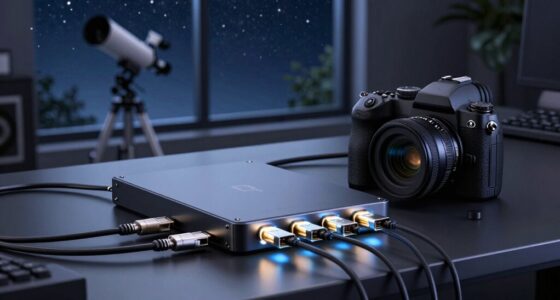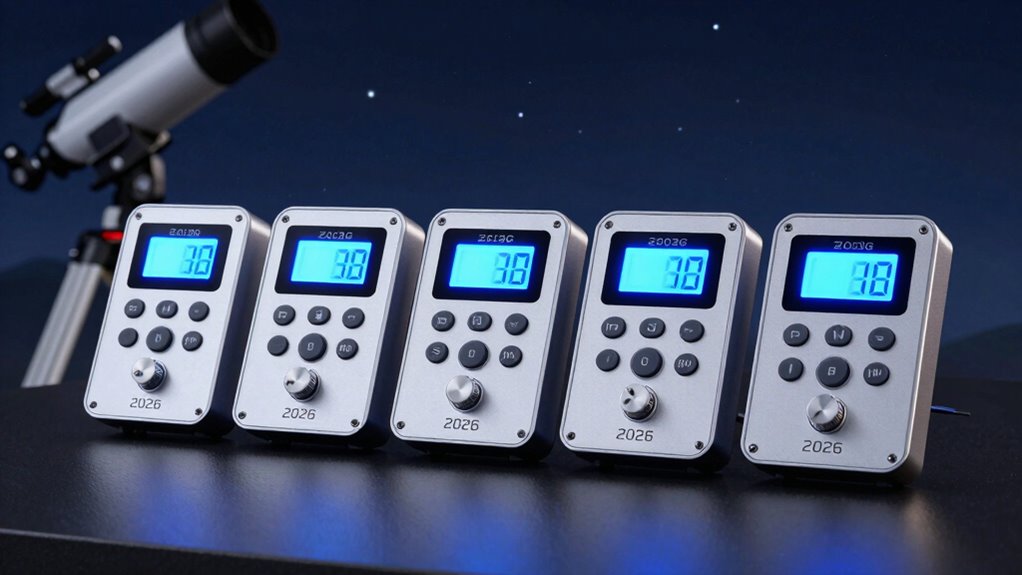

Dealing with dew on your telescope can be a persistent challenge during astrophotography sessions. The R-Sky Automatic Dew Controller stands out for its dual-channel support and energy-efficient PWM control, making it ideal for those with multiple telescopes. Meanwhile, the Celestron Smart DewHeater & Power Controller 4X offers smart environmental monitoring and multiple ports, perfect for users seeking automation and connectivity. For a more compact, yet versatile option, the Celestron Smart DewHeater Controller 2X delivers automatic dew prevention with easy integration, especially suited for modest setups. Each of these choices involves tradeoffs: the R-Sky excels in energy management but requires manual setup; the Celestron 4X provides advanced features but may need compatible accessories; the 2X offers simplicity but limited port options. Selecting the right controller depends on your specific needs, power sources, and how much automation you want.

Prime made for students and young adults
- Fast, free delivery for dorm and study essentials
- Prime Video and Amazon Music included
- Member-only deals
Key Takeaways
- The R-Sky Automatic Dew Controller emphasizes energy efficiency and dual-telescope support, ideal for multi-instrument setups.
- Celestron‘s 4X model excels in automation with real-time environmental monitoring and multiple connectivity options.
- The 2X version offers a straightforward, compact solution that automates dew prevention without extensive setup.
- Tradeoffs include setup complexity for advanced models and limited ports for simpler controllers.
- Compatibility with accessories and power sources should guide your choice, especially for larger or more complex setups.
| R-Sky Automatic Dew Controller – Dual-Channel Heater Management for Telescopes |  | Best Overall for Automation and Dual Telescope Support | Number of heater ports: 6 (2 auto, 2 medium, 2 full power) | Manual mode: Yes (0–100%) | Power supply: Includes power cable | VIEW ON AMAZON | See Our Full Breakdown |
| Celestron Smart DewHeater & Power Controller 4X for Telescopes – 4 Ports |  | Best for Smart Automation and Connectivity | Number of Ports: 4 | Power Output: Four 12V DC ports | USB Ports: 3 powered USB Type A | VIEW ON AMAZON | See Our Full Breakdown |
| Celestron Smart DewHeater Controller 2X for Telescopes – 2 Ports |  | Best for Simplicity and Compact Setup | Number of Ports: 2 | Additional 12V Output: Yes | Power Supply: 12V DC | VIEW ON AMAZON | See Our Full Breakdown |
| dew heater controllers for astrophotography | Power supply | Number of Ports |
|---|---|---|
| R-Sky Automatic Dew Controller | Includes power cable | — |
| Celestron Smart DewHeater & Po | — | 4 |
| Celestron Smart DewHeater Cont | 12V DC | 2 |
More Details on Our Top Picks
R-Sky Automatic Dew Controller – Dual-Channel Heater Management for Telescopes
The R-Sky Automatic Dew Controller stands out for its dual-channel design, allowing simultaneous control of two telescopes or multiple heaters. Its PWM energy-saving mode extends battery life, a crucial feature for field astrophotography. The included sensors and reverse polarity protection add to its reliability. Compared with the Celestron 2X, it offers more channels but requires more setup and manual operation, which might be less appealing for beginners. Its limited to specific power and sensor configurations, making it less flexible if you want to expand later.
Pros:- Supports dual telescopes and multiple heaters
- Energy-efficient PWM control extends battery life
- Includes sensors and reverse polarity protection
- Automates dew prevention effectively
Cons:- Requires careful setup and understanding of manual modes
- Limited to specific power and sensor configurations
- Setup complexity may challenge beginners
Best for: Astrophotographers managing multiple telescopes or heaters seeking automation and energy efficiency
Not ideal for: Beginners who prefer plug-and-play solutions or single-device setups
- Number of heater ports:6 (2 auto, 2 medium, 2 full power)
- Manual mode:Yes (0–100%)
- Power supply:Includes power cable
- Sensors included:Air & telescope sensors
- Protection:Reverse polarity
- Battery alert:Low at 10.5V
Our verdict“This controller is ideal for experienced users with multiple devices who want automation and energy savings, but it demands familiarity with manual setup.”
Celestron Smart DewHeater & Power Controller 4X for Telescopes – 4 Ports
The Celestron Smart DewHeater & Power Controller 4X offers a compelling package with four dew heater ports, real-time environmental monitoring, and an integrated USB hub. This model makes dew prevention straightforward, thanks to automatic adjustments based on temperature and humidity data, reducing manual intervention. Compared to the 2X version, it provides more ports and smarter features, but it relies on compatible thermistor accessories for third-party heaters, which could add cost and complexity. Its versatility suits users who want an all-in-one device capable of managing multiple accessories efficiently.
Pros:- Automates dew prevention with environmental sensors
- Includes four 12V ports and three USB ports
- Compatible with Celestron and third-party heaters
- Real-time data monitoring simplifies adjustments
Cons:- Dependent on compatible thermistor accessories
- Limited to telescope dew prevention applications
- Slightly higher cost for more features
Best for: Astrophotographers seeking a smart, connected solution with extensive port support
Not ideal for: Those with minimal gear or who prefer simple, standalone controllers
- Number of Ports:4
- Power Output:Four 12V DC ports
- USB Ports:3 powered USB Type A
- Compatibility:Celestron Dew Heater Rings, third-party bands
- Features:Real-time monitoring, automatic dew prevention
Our verdict“This controller excels for users who want an integrated, automated dew prevention system with multiple connection options, especially in more complex setups.”
Celestron Smart DewHeater Controller 2X for Telescopes – 2 Ports
The Celestron Smart DewHeater Controller 2X offers a streamlined approach with automatic dew detection and control for two heaters plus an extra 12V device. Its robust design with heavy-duty metal housing and internal cooling fan ensures durability, making it suitable for demanding conditions. It can be used standalone or connected to telescope software, offering flexibility for different user preferences. Compared to the 4X, it’s less feature-rich but easier to set up and operate, making it a great choice for beginners or those with smaller setups.
Pros:- Automatically adjusts heat to prevent dew
- Supports two dew heaters and an additional device
- Compatible with Celestron and third-party accessories
- Operable via hand control or PC software
Cons:- May require larger batteries under heavy dew conditions
- Setup can be complex for new users
- Limited to 12V DC power sources
Best for: Amateur astrophotographers or those with limited gear seeking automatic dew control
Not ideal for: Advanced users needing multiple ports or extensive automation features
- Number of Ports:2
- Additional 12V Output:Yes
- Power Supply:12V DC
- Max Power:120W
- Compatible Devices:Celestron Dew Heater Rings, third-party
- Sensor Type:Thermistors
- Housing Material:Heavy-duty metal
- Cooling:Internal fan
Our verdict“This controller offers a dependable, easy-to-integrate solution for users prioritizing automation without complexity, though it may need larger power sources for heavy dew conditions.”

How We Picked
In selecting these dew heater controllers, I prioritized devices that balance automation, power management, and ease of use within the astrophotography context. I focused on models that support multiple heaters or channels, as dew prevention often requires controlling several accessories simultaneously. Compatibility with popular brands like Celestron was a key factor, as well as features like environmental sensors, power management, and connectivity options such as USB ports. I also considered user feedback about setup complexity and real-world reliability, aiming to recommend products suitable for a range of experience levels from beginners to advanced users. Finally, I balanced price against features to identify options that deliver value for different budgets.
Factors to Consider When Choosing Dew Heater Controllers For Astrophotography
Choosing the right dew heater controller hinges on understanding your specific needs, power sources, and desired automation level. Consider whether managing multiple heaters or integrating environmental sensors matters most to you. The key is balancing automation features, ease of setup, and compatibility with your existing gear. This guide will help clarify what to look for and how each type of controller fits different astrophotography setups.Automation and Environmental Monitoring
If you want to minimize manual adjustments, models with environmental sensors and automatic control—like the Celestron 4X and 2X—are appealing. They adapt to changing conditions, preventing dew more reliably, especially in unpredictable weather. However, these models generally require compatible accessories and may be more complex to configure initially.
Number of Ports and Power Management
Evaluate how many heaters or devices you’ll need to control simultaneously. The R-Sky supports multiple channels, ideal for larger setups, but demands more setup knowledge. The Celestron 4X provides four ports, suitable for most mid-sized systems, while the 2X focuses on two heaters plus an extra device, fitting smaller or less complex arrangements.
Ease of Use and Compatibility
Beginners benefit from plug-and-play controllers like the Celestron 2X, which can be operated via software or hand control. Advanced users may prefer R-Sky’s manual mode and sensor options for fine-tuning. Compatibility with third-party accessories varies, so verify your gear matches the controller’s supported devices before purchasing.
Frequently Asked Questions
How does dew heater control automation work?
Automatic dew heater controllers monitor environmental conditions such as temperature and humidity using sensors. When dew risk is detected, they automatically adjust heater power to prevent condensation, reducing the need for manual intervention and helping to maintain clear optics throughout your session.
Can these controllers work with third-party dew heaters?
Yes, many controllers like the Celestron 4X and 2X support third-party heating bands, but they often require compatible thermistor sensors to regulate temperature effectively. Always check compatibility before integrating third-party accessories to ensure proper operation and avoid potential damage.
Do I need a special power supply for these controllers?
Most dew heater controllers operate on 12V DC power sources. For larger setups or multiple devices, a higher-capacity power supply or dedicated battery may be necessary to supply consistent power without drops, especially in field conditions where power stability is vital.
Are these controllers suitable for beginner astrophotographers?
Controllers like the Celestron 2X are designed with simplicity in mind, offering automatic dew prevention with minimal setup. However, more advanced options like the R-Sky or Celestron 4X provide additional features that might require some technical familiarity, making them better suited for users with some experience.
What should I consider when choosing a dew heater controller?
Key factors include the number of heaters you need to control, compatibility with your accessories, automation features, and power source. Consider whether you prefer a plug-and-play device or one with advanced environmental monitoring, and match these features to your budget and experience level.
Conclusion
For beginners or those with small setups, the Celestron 2X offers reliable, automatic dew prevention with straightforward operation. Users managing larger or more complex systems, especially with multiple telescopes, will find the R-Sky controller’s dual channels and energy efficiency invaluable. Meanwhile, astrophotographers seeking a highly integrated, smart solution with extensive connectivity should consider the Celestron 4X for its automation and environmental monitoring capabilities. Your choice should align with your gear complexity, automation needs, and comfort with setup procedures.
Halloween Picks
halloween
As an affiliate, we earn on qualifying purchases.